Start here
Where are you in your journey?
Choose the path that fits today. We’ll take you to the most useful discussions.
- GLP-1 medication Zepbound, Wegovy, access, side effects, progress, and support.
- Before surgery Compare procedures, plan ahead, and get honest pre-op answers.
- Post-op Recovery, food stages, symptoms, and support.
- Long-term Regain, labs, habits, and life after the honeymoon.
- Revision Explore revision options, complications, and next steps.

txblueeyes
Gastric Bypass Patients
-
Joined
-
Last visited
-
I am go to Tijuana Mexico I didn’t have to have a physical nothing just filled out applications they approved it sent deposit and made payments. They will cover procedure mine is gastric bypass with hernia repair. 4500.00 that includes motel they pick you up in San Diego and take you across you have your surgery stay in their recovery house they do a leak test and monitor you to make sure your ok for 3 to 4 days depending on the procedure you want. Then they take you back across to San Diego to the airport the plane tickets are on you if you take a companion it’s 40.00 extra plus you have to cover their food and extra night at the motel. The place I’m going is slimmer me they have lots of easy ways to make your payment when your out on the road from your phone. You should look them up and if you decide when you fill out the application just the them know I sent you.
-
I’m having surgery on the 8th pre op the 7th
-
I’m a truck driver I’m going to Mexico to slimmer me a lot of other drivers I know have gone here that’s why I’m going there. So far everyone there seem nice. I leave for surgery on Monday
-
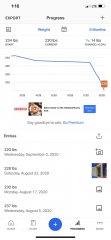
Me on my weight loss track