Start here
Where are you in your journey?
Choose the path that fits today. We’ll take you to the most useful discussions.
- GLP-1 medication Zepbound, Wegovy, access, side effects, progress, and support.
- Before surgery Compare procedures, plan ahead, and get honest pre-op answers.
- Post-op Recovery, food stages, symptoms, and support.
- Long-term Regain, labs, habits, and life after the honeymoon.
- Revision Explore revision options, complications, and next steps.

SassyScienceNerd
Gastric Sleeve Patients
-
Joined
-
Last visited
-
-
-
-
-
-
-
-
-
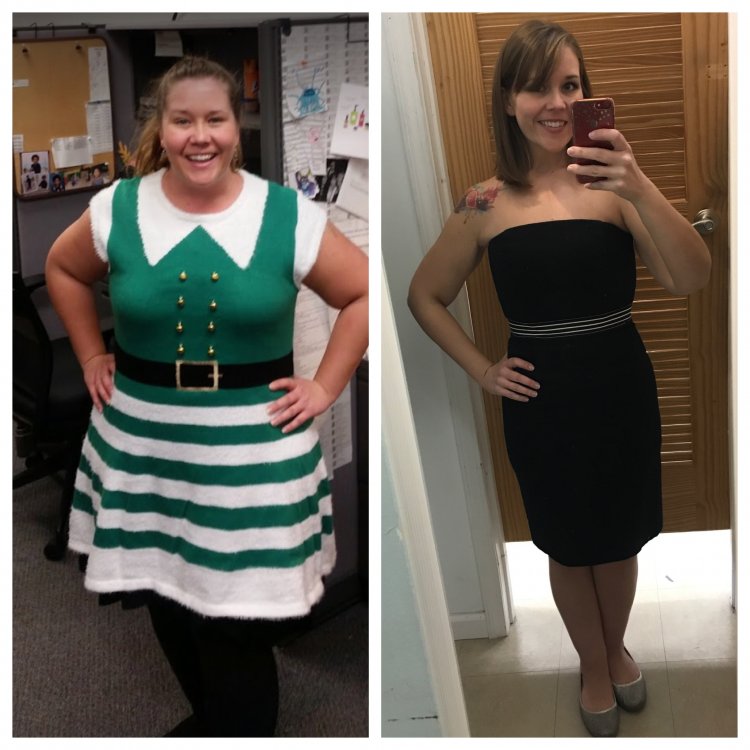
I posted this on my own thread a while back but I'd like it to live forever here, too! 100 lbs down and a little past goal in this pic.
-
-
I have always wanted to do yoga, but when I have, I was pretty limited by my size. I'm very excited to make this my first post-op workout routine. I'd start gently, but how soon after surgery did everyone start exercising beyond just walking?