Start here
Where are you in your journey?
Choose the path that fits today. We’ll take you to the most useful discussions.
- GLP-1 medication Zepbound, Wegovy, access, side effects, progress, and support.
- Before surgery Compare procedures, plan ahead, and get honest pre-op answers.
- Post-op Recovery, food stages, symptoms, and support.
- Long-term Regain, labs, habits, and life after the honeymoon.
- Revision Explore revision options, complications, and next steps.

MARILYNMONROE525
Gastric Sleeve Patients
-
Joined
-
Last visited
-
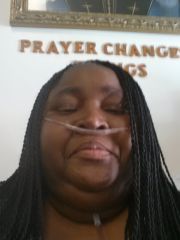
September 4, 2014 Hi Everyone: Well, this is my first post since joining the group. I took the 6-months of classes and passed all the tests and today I received my call saying my surgery will take place on September 30, 2014. I will never forget this date. It is already burned in my memory. Nor will I forget what I was doing at the time I received the call - in line at the market. I looked down into my shopping cart (the riding kind) and felt okay because I had 3 healthy choice meals. I said to myself, well my next trip to the market will be a lot different than today. I am trying to see myself in my mind's eye after the surgery. I can't see it. I guess this is normal. I haven't known what was normal for quite some time. I am so looking forward to the journey. I don't have a lot of family support, but I know you all out there are going through this with me. Thanks for going on this journey with me. I need you all. 26 Days to Countdown. Current Weight 278 (down from 317) Goal Weight 175
-
MARILYNMONROE525, a weight loss surgery photo album by MARILYNMONROE525 on BariatricPal. 5 photos in Before and After Gastric Sleeve Photos.