Start here
Where are you in your journey?
Choose the path that fits today. We’ll take you to the most useful discussions.
- GLP-1 medication Zepbound, Wegovy, access, side effects, progress, and support.
- Before surgery Compare procedures, plan ahead, and get honest pre-op answers.
- Post-op Recovery, food stages, symptoms, and support.
- Long-term Regain, labs, habits, and life after the honeymoon.
- Revision Explore revision options, complications, and next steps.

jdillon
Gastric Sleeve Patients
-
Joined
-
Last visited
-
jdillon changed their profile photo
-
-
-
-
In the same suit still got a ways to go. Bad camera and messy bathroom lol

-
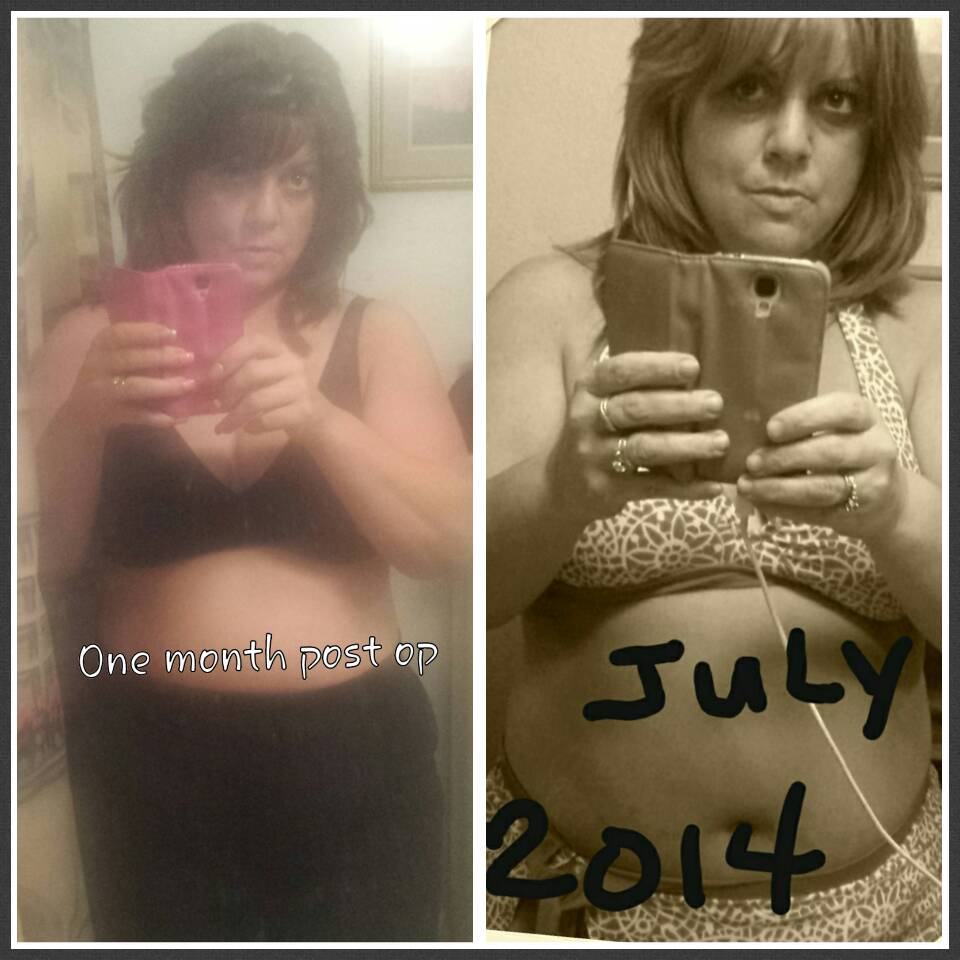
Only one month out. Picture on the right was taken the end of July. Surgery on August 15th. Yesterday marked 4 weeks out so I took another picture. Surgery date I was 220lbs. Today 191

-
You guys look awesome btw!
-
I'm a little more than 2 wks out. I've lost 23.2lbs and I lose 4 oz a day now. It's making me crazy. I work out swim and eat right and it's crawling now. As hard as I work at this it should be more results!
-
Ah that's so cool you guys look great
-
What amount of calories do you eat each day? What is a typical daily menu for you? Breakfast lunch dinner Snacks? Amount of Water?
-
3 months Wow! Awesome job!
-
Looking so good!
-
Wow! What was your beginning weight and weight 5 months out?
-
I see a lot of difference
-
Great success! Wow. I not only can't wait for surgery day, but to be a year out with pics like this to show success! You look simply marvelous darling! Awesome job really.
-
Dont see a pic
-
I'm a little taller than you not much. We're almost identical starting. You look great. How much did you lose each month from the start. When did it slow down for you? What do you eat each day? I hope you don't mind the questions.
-
My hero! I am 211lbs surgery due in July!
-
Wow you look phenomenal