Start here
Where are you in your journey?
Choose the path that fits today. We’ll take you to the most useful discussions.
- GLP-1 medication Zepbound, Wegovy, access, side effects, progress, and support.
- Before surgery Compare procedures, plan ahead, and get honest pre-op answers.
- Post-op Recovery, food stages, symptoms, and support.
- Long-term Regain, labs, habits, and life after the honeymoon.
- Revision Explore revision options, complications, and next steps.

betty_s
LAP-BAND Patients
-
Joined
-
Last visited
-
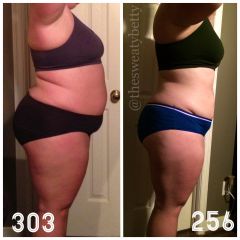
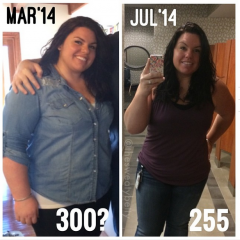
Banded 5/8/14. All post-op photos.
-
betty_s, a weight loss surgery photo album by betty_s on BariatricPal. 4 photos in Before and After Lap Band Photos.
-
i read a comment the other day about someone who had initially chose the band, someone said "why get the band when you'll have to get a revision to sleeve or bypass eventually". that made me SO MAD. some people do really well with the band and you are living proof. i had a band to sleeve revision in one of my seminars and she kept making comments about how awful the band was and then would look at me and say "no offense".. like really?! it is very frustrating. i think sleeve and bypass patients look down at us, and thats not how it should be.
-
pre-surgery, a weight loss surgery photo album by betty_s on BariatricPal. 5 photos in Member Photo Gallery.