





AmandaRaeLeo
Gastric Sleeve Patients
-
Joined
-
Last visited
Everything posted by AmandaRaeLeo
-
Rofl!!!!!
-
I hope your experience meets and then exceeds your expectations.
-
Hooray for you! I hope your surgery and recovery are uneventful.
-
Lol! Remember the Alka Seltzer commercials?

-
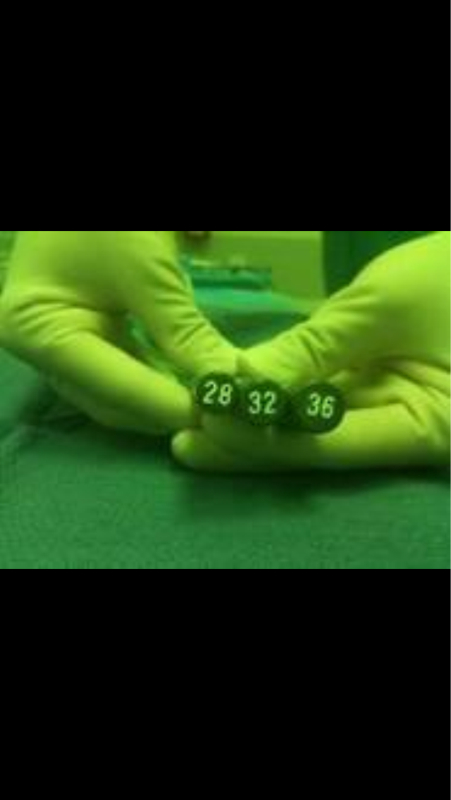
Can you help me with that pesky head hunger? I've stretched my thimble...It is excruciating... And my surgeon used a thimble.I bought rotisserie chicken and took a hefty bite, not thinking. It was too much. Lesson learned.Oops I did it again. :-(You see folks. It's not just Mx coordinators who come on here endorsing their surgeon/facility. Dr. B posted in another thread subtly implying no aftercare stateside for Mx Sleevers. That's just not true. That being said, I know nothing about this option other than a fleeting moment of checking their site out while researching. Dr. Aceves was a reach for me so this was definitely out of reach. Good luck to all no matter who you choose. I hope your experience exceeds your expectations and your recovery is uneventful. And if course, a healthy and successful Sleeved Life. :-)I had the brick. Right below the rib cage. I've had a flood of thick saliva accompanied by huge spit bubbles (tmi?) and then gagging/puking. I figured I was sliming but wanted to confirm that there was not yet another fun sleeve experience out there in addition to aforementioned experience! I too ate too fast. I learned my lesson for sure!Other than "you will know". How do you know you're sliming or foaming? Are they the same?As you can see, the difference is minimal.

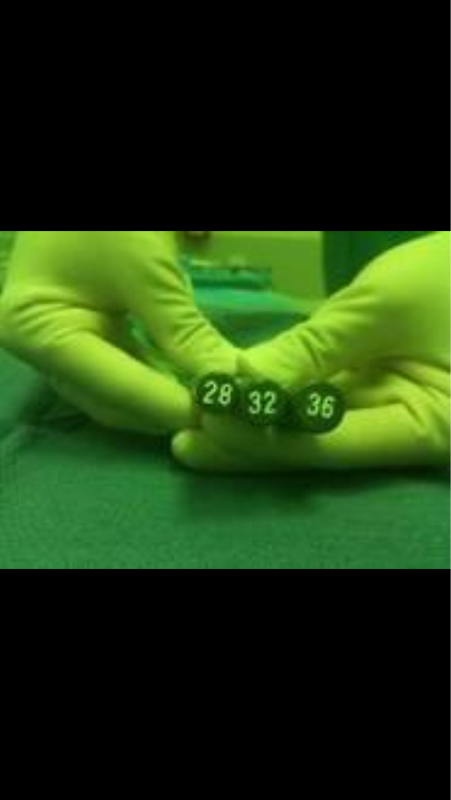
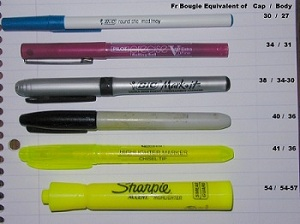
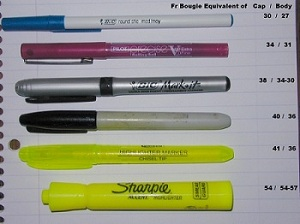
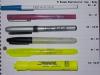 A bougie is a guide used by many surgeons when creating our sleeves. There is very little difference in the most commonly used sizes. People tend to put way too much emphasis on bougie size making a major difference in weight loss. Medical studies show is doesn't.I think people put way too much stock in the bougie size. Consider your stomach size preop compared to now.... And hunger isn't magically gone. It may be reduced. Plus head hunger is real and powerful. Here is a pic that likens bougie size to pens and highlighters.
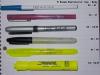 Check out MeasureOfMe's post about her experience with Dr. Kelly. She has a way with words and was very open and honest about her experience. I will see if I can find it...This is all I have. If you look at the size difference between then you'll see its not a staggering leap.
 It sounds like your surgeon made the safest decision for your health. That is a good thing. Now you're armed with knowledge and can taylor your sleeved life accordingly.It would be unfortunate if relevant and accurate threads are being removed, as long as they're not libelous.


Account
Navigation
Search
Configure browser push notifications
Chrome (Android)
- Tap the lock icon next to the address bar.
- Tap Permissions → Notifications.
- Adjust your preference.
Chrome (Desktop)
- Click the padlock icon in the address bar.
- Select Site settings.
- Find Notifications and adjust your preference.
Safari (iOS 16.4+)
- Ensure the site is installed via Add to Home Screen.
- Open Settings App → Notifications.
- Find your app name and adjust your preference.
Safari (macOS)
- Go to Safari → Preferences.
- Click the Websites tab.
- Select Notifications in the sidebar.
- Find this website and adjust your preference.
Edge (Android)
- Tap the lock icon next to the address bar.
- Tap Permissions.
- Find Notifications and adjust your preference.
Edge (Desktop)
- Click the padlock icon in the address bar.
- Click Permissions for this site.
- Find Notifications and adjust your preference.
Firefox (Android)
- Go to Settings → Site permissions.
- Tap Notifications.
- Find this site in the list and adjust your preference.
Firefox (Desktop)
- Open Firefox Settings.
- Search for Notifications.
- Find this site in the list and adjust your preference.