Start here
Where are you in your journey?
Choose the path that fits today. We’ll take you to the most useful discussions.
- GLP-1 medication Zepbound, Wegovy, access, side effects, progress, and support.
- Before surgery Compare procedures, plan ahead, and get honest pre-op answers.
- Post-op Recovery, food stages, symptoms, and support.
- Long-term Regain, labs, habits, and life after the honeymoon.
- Revision Explore revision options, complications, and next steps.

raindrop1999
LAP-BAND Patients
-
Joined
-
Last visited
-
-
-
im a grandma this is why i did lapband tobeable to run and play i have a baby granddaughter born nov 4
-
i was exactly 212 july 9 im only 190 how did u do that so fast
-
mine was30percent fatty i failed but they did it anyway
-
minejust fell off dont take them orpullthemoff
-
i tried it and found out why it really still hurts lol maybe once we heal inside
-
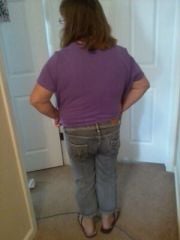
Untitled Album, a weight loss surgery photo album by raindrop1999 on BariatricPal. 2 photos in Member Photo Gallery.
-
straw is a no no not allowed uget to much air
-
ya ,yliver very bad and pain but loosingweight should help have it checked
-
 Lapbandster reacted to a post in a topic:
8 Days Post-Op, Gained About 5 Lbs, No Restriction, And Very Depressed
Lapbandster reacted to a post in a topic:
8 Days Post-Op, Gained About 5 Lbs, No Restriction, And Very Depressed
-
u will gain and its ok my doctor wrned me i wouldand did 5 pnds just got afirst fill
-
myson got married right after my band icould not eat that was the bad part
-
idid i was at walmart mydaughter had to buy me shorts after thefact imodium works well
-
im loosing inches now and im 6 weeks and one week into my first fill
-
i start under water treadmill next week again
-
mine to give it a few gl
-
i alsway sleep on my side iusea flat flat pillow doesjust fine