




Start here
Where are you in your journey?
Choose the path that fits today. We’ll take you to the most useful discussions.
- GLP-1 medication Zepbound, Wegovy, access, side effects, progress, and support.
- Before surgery Compare procedures, plan ahead, and get honest pre-op answers.
- Post-op Recovery, food stages, symptoms, and support.
- Long-term Regain, labs, habits, and life after the honeymoon.
- Revision Explore revision options, complications, and next steps.
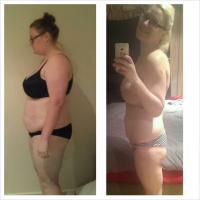
eggzy82
LAP-BAND Patients
-
Joined
-
Last visited
Everything posted by eggzy82
-
I have a.million pillows and my partner has been kicked out of bed Day three and I am black and blue ! Very swollen. Taking lots of photos so I can look back when I'm having a bad day and know what I went Thu to get to where I will be !Hope that u are feeling beteer nowDose the beroxca make Ur Pee really bright orange ???I am not a fan of berocca do u really find it helpsI thought the first days would be hard then it would get easy but the first week was easy second week is killing me ! I wanna eat some breadOmg I am so so hungry and have no will power ! I am 6 days out from getting bandedWhat food do u eat ???Not very much at allI have fructose malabsorbshan So I can't eat apples, onions, garlic, tomatoes, pineapple, etc etc the list goes on and on Has anyone else had the banding done with fructose issues ????Why not to drink ? Pre op ?I wanna eat everything ! I am getting done 26th April So I am doing the diet to help shrink my liver ... Did anyone slip up while they were on their pre op dietThat's awesome wish I could do thatI am craving food ! Chocolate. Bread. Chips. Id do anything for a vegemite roll Any hints or helpful tactics to help over come this ...What do u wish u had known ?
Account
Navigation
Search
Configure browser push notifications
Chrome (Android)
- Tap the lock icon next to the address bar.
- Tap Permissions → Notifications.
- Adjust your preference.
Chrome (Desktop)
- Click the padlock icon in the address bar.
- Select Site settings.
- Find Notifications and adjust your preference.
Safari (iOS 16.4+)
- Ensure the site is installed via Add to Home Screen.
- Open Settings App → Notifications.
- Find your app name and adjust your preference.
Safari (macOS)
- Go to Safari → Preferences.
- Click the Websites tab.
- Select Notifications in the sidebar.
- Find this website and adjust your preference.
Edge (Android)
- Tap the lock icon next to the address bar.
- Tap Permissions.
- Find Notifications and adjust your preference.
Edge (Desktop)
- Click the padlock icon in the address bar.
- Click Permissions for this site.
- Find Notifications and adjust your preference.
Firefox (Android)
- Go to Settings → Site permissions.
- Tap Notifications.
- Find this site in the list and adjust your preference.
Firefox (Desktop)
- Open Firefox Settings.
- Search for Notifications.
- Find this site in the list and adjust your preference.