Start here
Where are you in your journey?
Choose the path that fits today. We’ll take you to the most useful discussions.
- GLP-1 medication Zepbound, Wegovy, access, side effects, progress, and support.
- Before surgery Compare procedures, plan ahead, and get honest pre-op answers.
- Post-op Recovery, food stages, symptoms, and support.
- Long-term Regain, labs, habits, and life after the honeymoon.
- Revision Explore revision options, complications, and next steps.

ladyTy
Pre Op
-
Joined
-
Last visited
-
ladyTy changed their profile photo
-
-
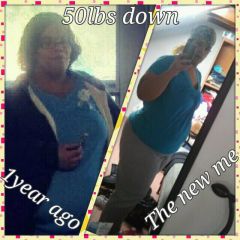
my life before and after surgery
-
-
-
-
Has any one tried the pu-erh tea and if so has it worked for you
-
Im 6months post ops and I dnt have no problems doing sit ups
-
Hello everyone is their anyone that is having a hard time eating any kind of food.. Since my last fill I can eat chicken please give me some advise
-
Dr. told me 4weeks but it didnt happen. I was just very careful
-
I usually have a protein shake for breakfast. Since my band is tight in the mornings.or sometimes I will eat a chobani yogurt
-
I also have thyroid problems and mine was wacko before surgery and they stil did my banding. They shouldnt be an issue with that actually the band stablelizes your thyroid
-
my fill is feels good because. I feel fill with liquida and yes i am taking my vitamins
-
Today i got my second fill it feels tight and its good. I lost 27pounds yay i am excited. But i am just tierd after this fill wat can it be please helpI think that you should call your doctor and let them know wats going on... also stay on liquids for a couple of daysi have lost and gained and i was going crazy