




Skip to content
View in the app

A better way to browse. Learn more.

BariatricPal

A full-screen app on your home screen with push notifications, badges and more.

To install this app on iOS and iPadOS
  1. Tap the Share icon in Safari
  2. Scroll the menu and tap Add to Home Screen.
  3. Tap Add in the top-right corner.
To install this app on Android
  1. Tap the 3-dot menu (⋮) in the top-right corner of the browser.
  2. Tap Add to Home screen or Install app.
  3. Confirm by tapping Install.

Getting sooooooooo close!
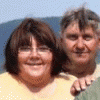
I'm so excited...... today is Sunday and my surgery is Friday! I still get :confused: at myself for being excited over going under the knife. But it is going to be such a change for me. I need this so bad. I'm looking forward to the day that I don't feel that need to eat all the time. Hubby was a food addict. Now, well he almost has to force himself to eat! To me that is amazing to even think of.

Almost there!

1 Comment

Recommended Comments

skeeterbait8

LAP-BAND Patients

I'm so excited...... today is Sunday and my surgery is Friday! I still get :wink_smile: at myself for being excited over going under the knife. But it is going to be such a change for me. I need this so bad. I'm looking forward to the day that I don't feel that need to eat all the time. Hubby was a food addict. Now, well he almost has to force himself to eat! To me that is amazing to even think of.

Almost there!

Guest
Add a comment...

Account

Navigation

Search

Search

Configure browser push notifications

Chrome (Android)
  1. Tap the lock icon next to the address bar.
  2. Tap Permissions → Notifications.
  3. Adjust your preference.
Chrome (Desktop)
  1. Click the padlock icon in the address bar.
  2. Select Site settings.
  3. Find Notifications and adjust your preference.