




Skip to content
View in the app

A better way to browse. Learn more.

BariatricPal

A full-screen app on your home screen with push notifications, badges and more.

To install this app on iOS and iPadOS
  1. Tap the Share icon in Safari
  2. Scroll the menu and tap Add to Home Screen.
  3. Tap Add in the top-right corner.
To install this app on Android
  1. Tap the 3-dot menu (⋮) in the top-right corner of the browser.
  2. Tap Add to Home screen or Install app.
  3. Confirm by tapping Install.

Join BariatricPal free

  • Ask your own questions
  • Reply and follow topics
  • Message other members
  • No cost, no spam

Heading to the losers bench :)
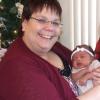
So this is my last post before surgery. Tonight we are going to a hotel in the city where the hospital is. Tomorrow at 0900 my surgery will happen. I've been more nervous today, I think it is as much anticipation and the unknown as anything. I have a great support system, did not cheat once on the preop diet and am ready to face what comes the next few months.


I thought about leaving a bunch of "If you are reading this bad things happened...." notes for my kids and husband but decided against it. I didn't want to spend time focusing on the sad/bad/negative. I'm comfortable that they know I love them and that they understand my wishes should things go wrong. Enough said.


I'll post again in a few days! Beth

0 Comments

Recommended Comments

There are no comments to display.

Guest
Add a comment...

Account

Navigation

Search

Search

Configure browser push notifications

Chrome (Android)
  1. Tap the lock icon next to the address bar.
  2. Tap Permissions → Notifications.
  3. Adjust your preference.
Chrome (Desktop)
  1. Click the padlock icon in the address bar.
  2. Select Site settings.
  3. Find Notifications and adjust your preference.