




Skip to content
View in the app

A better way to browse. Learn more.

BariatricPal

A full-screen app on your home screen with push notifications, badges and more.

To install this app on iOS and iPadOS
  1. Tap the Share icon in Safari
  2. Scroll the menu and tap Add to Home Screen.
  3. Tap Add in the top-right corner.
To install this app on Android
  1. Tap the 3-dot menu (⋮) in the top-right corner of the browser.
  2. Tap Add to Home screen or Install app.
  3. Confirm by tapping Install.

5/3/13 Liquid Diet day
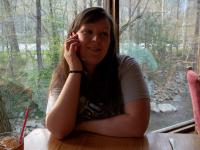
First time to ever blog! Today is clear fluids only and is the only day that I had to do it pre-op. Tomorrow is surgery day! Have to be at the hospital around 2:30pm. I am ready to be healthy not only for myself, but my three kids, husband and body! I can't wait to see what the future holds for me and my beautiful family! :)


Carla

1 Comment

Recommended Comments

starcuff23

Gastric Sleeve Patients

Good Luck Carla, I am also doing the pre-op for my surgery is tomorrow, I have to be at the hospital by 9 am. Good luck......I will keep you in my prayers...

Guest
Add a comment...

Account

Navigation

Search

Search

Configure browser push notifications

Chrome (Android)
  1. Tap the lock icon next to the address bar.
  2. Tap Permissions → Notifications.
  3. Adjust your preference.
Chrome (Desktop)
  1. Click the padlock icon in the address bar.
  2. Select Site settings.
  3. Find Notifications and adjust your preference.