




Skip to content
View in the app

A better way to browse. Learn more.

BariatricPal

A full-screen app on your home screen with push notifications, badges and more.

To install this app on iOS and iPadOS
  1. Tap the Share icon in Safari
  2. Scroll the menu and tap Add to Home Screen.
  3. Tap Add in the top-right corner.
To install this app on Android
  1. Tap the 3-dot menu (⋮) in the top-right corner of the browser.
  2. Tap Add to Home screen or Install app.
  3. Confirm by tapping Install.

Join BariatricPal free

  • Ask your own questions
  • Reply and follow topics
  • Message other members
  • No cost, no spam

Take That Airplane Seat! (Pic)

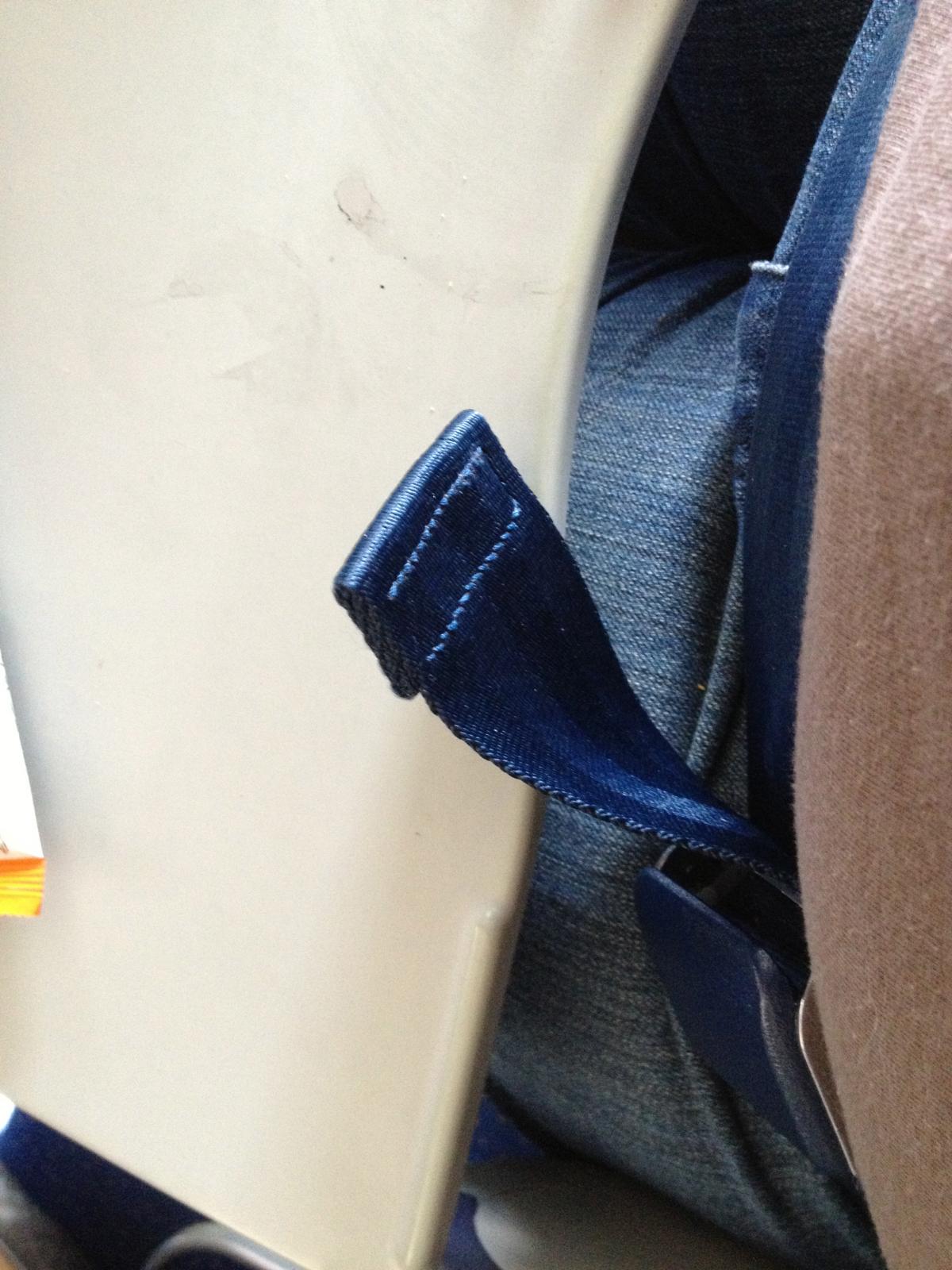
Ok, lemme 'splain what your looking at here: The brown thing is my shirt. The denim color is my pants and the white thing is my TRAY TABLE ALL THE WAY DOWN with a couple inches to spare!! The blue tabbie looking thing is MY SEATBELT, not only fastened without an extender, but a few inches pulled out. Then just to be a smart@$$, I went and used the airplane bathroom JUST because I could!! HAHAAAAAAAAAA!!! I love it. Oh, what 98 lbs can do for a person!! Love it. Don't give up, people!!!


blogentry-19191-13814461211487.jpg

3 Comments

Recommended Comments

kaykayp

Gastric Sleeve Patients

I am so looking foward to the day I can do this...I am happy for you!!!!!

I love to fly but I don't because of the looks I get. You know the one "oh god don't let her be sitting next to me" can't wait.........till I get there too...

Dooter

Gastric Sleeve Patients

And you WILL get there!! :D

Guest
Add a comment...

Account

Navigation

Search

Search

Configure browser push notifications

Chrome (Android)
  1. Tap the lock icon next to the address bar.
  2. Tap Permissions → Notifications.
  3. Adjust your preference.
Chrome (Desktop)
  1. Click the padlock icon in the address bar.
  2. Select Site settings.
  3. Find Notifications and adjust your preference.