




Skip to content
View in the app

A better way to browse. Learn more.

BariatricPal

A full-screen app on your home screen with push notifications, badges and more.

To install this app on iOS and iPadOS
  1. Tap the Share icon in Safari
  2. Scroll the menu and tap Add to Home Screen.
  3. Tap Add in the top-right corner.
To install this app on Android
  1. Tap the 3-dot menu (⋮) in the top-right corner of the browser.
  2. Tap Add to Home screen or Install app.
  3. Confirm by tapping Install.

Pictures Tomorrow

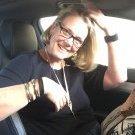
today I will take some pictures for the first time post op.Its been 5 and a half months now that I've still been avoiding the pics.


My kid took some the morning of surgery (and some the morning after).


I might even post them if I can see a difference.Being very body dismorphic doesnt make life easy.I have to see myself with my mind and not really my eyes as my eyes still see me almost exactly the same,but with a lot more wrinkles and drooping skin.My head tells me 88 pounds is a significant weight loss.


S,lets see how brave I can be!

0 Comments

Recommended Comments

There are no comments to display.

Guest
Add a comment...

Account

Navigation

Search

Search

Configure browser push notifications

Chrome (Android)
  1. Tap the lock icon next to the address bar.
  2. Tap Permissions → Notifications.
  3. Adjust your preference.
Chrome (Desktop)
  1. Click the padlock icon in the address bar.
  2. Select Site settings.
  3. Find Notifications and adjust your preference.