





Skip to content
View in the app

A better way to browse. Learn more.

BariatricPal

A full-screen app on your home screen with push notifications, badges and more.

To install this app on iOS and iPadOS
  1. Tap the Share icon in Safari
  2. Scroll the menu and tap Add to Home Screen.
  3. Tap Add in the top-right corner.
To install this app on Android
  1. Tap the 3-dot menu (⋮) in the top-right corner of the browser.
  2. Tap Add to Home screen or Install app.
  3. Confirm by tapping Install.

First Blog..

Hey everyone this is my first blog, I totally forgot I even made a acount on here!


Anyways since I was last on here I was awaiting my first consultation with my surgeon, it was a long process but I finally was able to have surgery done November 17th!


My starting weight was 360, start of liquid diet 350, day of surgery 338 and currently 251lbs! I am very thankful to been able to have surgery and complication free :)


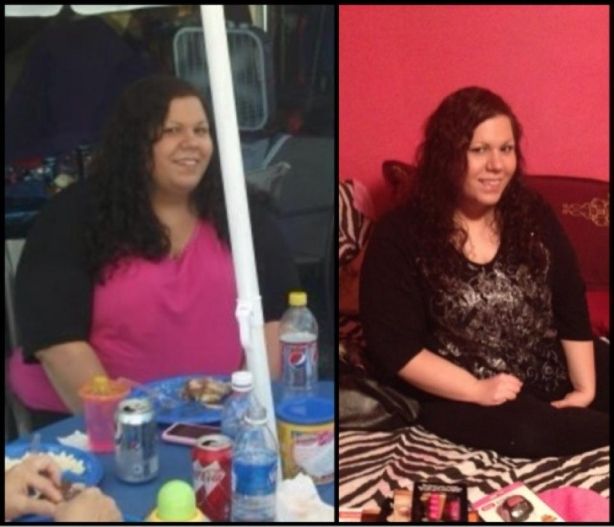
Here are some before and current pictures, Im along way from goal but pretty happy with my progress so far.
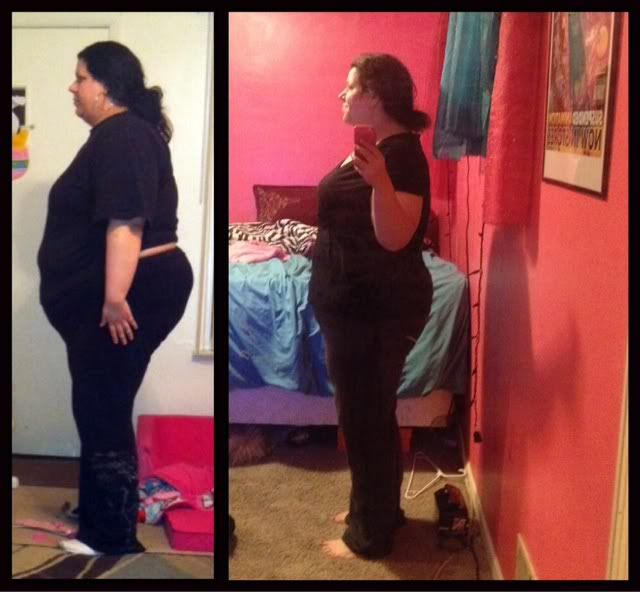
 

pic2.jpg


ash-3.jpg

Before: 360 During:275 (Im down 25 more pounds since this was taken)
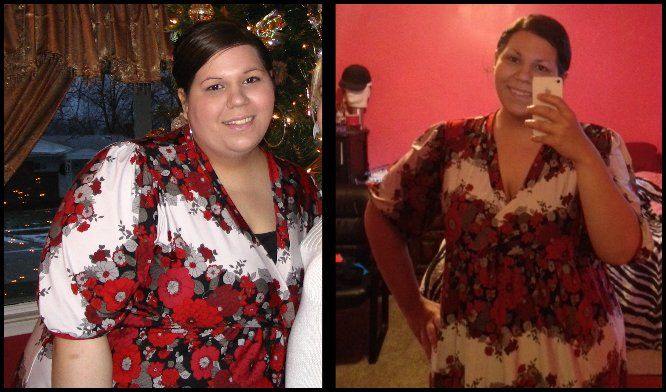
 

bc2.jpg


Oh yeah and if you go on the other forums: Obesity Help, Thinner Times my name is the same on all 3 so feel free to add me :)

2 Comments

Recommended Comments

ShapeShifter

LAP-BAND Patients

You look amazing. Thanks for the inspiration. :)

LaBelle509

Gastric Sleeve Patients

you are doing an amazing job! I hope I can do the same:)

Guest
Add a comment...

Account

Navigation

Search

Search

Configure browser push notifications

Chrome (Android)
  1. Tap the lock icon next to the address bar.
  2. Tap Permissions → Notifications.
  3. Adjust your preference.
Chrome (Desktop)
  1. Click the padlock icon in the address bar.
  2. Select Site settings.
  3. Find Notifications and adjust your preference.