




Skip to content
View in the app

A better way to browse. Learn more.

BariatricPal

A full-screen app on your home screen with push notifications, badges and more.

To install this app on iOS and iPadOS
  1. Tap the Share icon in Safari
  2. Scroll the menu and tap Add to Home Screen.
  3. Tap Add in the top-right corner.
To install this app on Android
  1. Tap the 3-dot menu (⋮) in the top-right corner of the browser.
  2. Tap Add to Home screen or Install app.
  3. Confirm by tapping Install.

After Years Of Lurking, Finally Saying Hello.
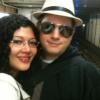
Hello everyone,


A few years ago, my husband was approved for and obtained an insurance-approved WLS.


He was banded by Dr. Ren at NYU. This year I am going to be banded by Dr. Lopez in Tijuana, MX at Angeles Hospital. (obviously self-pay)


I'm looking forward to making friends here so that we may help support each other during the good and bad times.


I'm Ev, a former small business owner, currently returning to school to obtain my bachelor's in Secondary Math Ed. I'm excited to share this journey with my husband and with anyone who is supportive.

4 Comments

Recommended Comments

dquoiya

LAP-BAND Patients

Welcome and keep posting cant wait to hear about your progress.

RahRahRah

LAP-BAND Patients

Congratulations!! Cant wait to hear how its going! Keep us posted,

evelynsalzman

LAP-BAND Patients

Thanks so much for the friendly welcome, ladies! Well, my date is finally set. JULY 27th! OMG. I'm so frigging excited = ) , yet nervous, lol.

Guest
Add a comment...

Account

Navigation

Search

Search

Configure browser push notifications

Chrome (Android)
  1. Tap the lock icon next to the address bar.
  2. Tap Permissions → Notifications.
  3. Adjust your preference.
Chrome (Desktop)
  1. Click the padlock icon in the address bar.
  2. Select Site settings.
  3. Find Notifications and adjust your preference.