




Skip to content
View in the app

A better way to browse. Learn more.

BariatricPal

A full-screen app on your home screen with push notifications, badges and more.

To install this app on iOS and iPadOS
  1. Tap the Share icon in Safari
  2. Scroll the menu and tap Add to Home Screen.
  3. Tap Add in the top-right corner.
To install this app on Android
  1. Tap the 3-dot menu (⋮) in the top-right corner of the browser.
  2. Tap Add to Home screen or Install app.
  3. Confirm by tapping Install.

Day 9 Of Many

Purple for the Raven's win today people...


Ahh. The weekend is over, but there's still one more day of work. Ughh. Not looking forward to it.

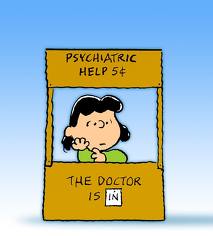
I've been eating a little too much at work, a little too much "bad" stuff. I have an appt with my counselor

at the Bariatric practice soon. Its stress right now, I'm moving, having bf issues, money issues, etc. It shouldn't

be an excuse for me to not follow the plan. I'm probably headed down the road of screwing up if I don't break off now.


Anyone else out there struggle with this?


blogentry-316142-13814445016466.jpg

0 Comments

Recommended Comments

There are no comments to display.

Guest
Add a comment...

Account

Navigation

Search

Search

Configure browser push notifications

Chrome (Android)
  1. Tap the lock icon next to the address bar.
  2. Tap Permissions → Notifications.
  3. Adjust your preference.
Chrome (Desktop)
  1. Click the padlock icon in the address bar.
  2. Select Site settings.
  3. Find Notifications and adjust your preference.