




Skip to content
View in the app

A better way to browse. Learn more.

BariatricPal

A full-screen app on your home screen with push notifications, badges and more.

To install this app on iOS and iPadOS
  1. Tap the Share icon in Safari
  2. Scroll the menu and tap Add to Home Screen.
  3. Tap Add in the top-right corner.
To install this app on Android
  1. Tap the 3-dot menu (⋮) in the top-right corner of the browser.
  2. Tap Add to Home screen or Install app.
  3. Confirm by tapping Install.

I'm off to start my journey....
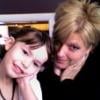
Tomorrow I leave to start my two day trek to Tijuana to have my surgery. As I posted a while back, I am having the gastric sleeve done.

I can't believe this time had finially come .

I want to thank everyone for all of there amazing stories. They have filled me with hope and have settled my fears.


I will blog when I get back to let everyone know how it went.

Take care,

Nikki:thumbup:

1 Comment

Recommended Comments

Lap2Fab

LAP-BAND Patients

Good luck to you! Have a safe trip and please keep us updated on how you are doing!

Guest
Add a comment...

Account

Navigation

Search

Search

Configure browser push notifications

Chrome (Android)
  1. Tap the lock icon next to the address bar.
  2. Tap Permissions → Notifications.
  3. Adjust your preference.
Chrome (Desktop)
  1. Click the padlock icon in the address bar.
  2. Select Site settings.
  3. Find Notifications and adjust your preference.