




Skip to content
View in the app

A better way to browse. Learn more.

BariatricPal

A full-screen app on your home screen with push notifications, badges and more.

To install this app on iOS and iPadOS
  1. Tap the Share icon in Safari
  2. Scroll the menu and tap Add to Home Screen.
  3. Tap Add in the top-right corner.
To install this app on Android
  1. Tap the 3-dot menu (⋮) in the top-right corner of the browser.
  2. Tap Add to Home screen or Install app.
  3. Confirm by tapping Install.

Join BariatricPal free

  • Ask your own questions
  • Reply and follow topics
  • Message other members
  • No cost, no spam

Giby97, my trip results, 7 aug 10
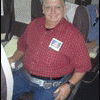
Fabulous results at the doc's. Staff and doc was happy to see me. Traveled 4 hours to get there in Seoul, Korea by 1030 am. Doc was busy with more surgeries and in-between them he talked to and gave me a 1.0 cc added to my already 6 cc's in my 10 cc band. He also used a scope to see my band, which I thought may have moved, so he took a look and he found the reason why I was hearing a thump sound in my chest when I lift things, it turned out to be the top of the band unit brushing against my sterndom--nothing to worry about. Glad to hear that. My statistics are: Obesity Rate: 4 Jan 10-210%, now 179%; my BMI was 44.7kg in Jan 10, now 38.1kg; my Weight was 123.1kg in Jan 10, now 105.1kg. I am on a gradual loss pattern and should be able to reach my goal in Jan 2011. One great aspect of my visit was my "Fill" cost. It was "ZERO", my DOC said I was good to go. My 4th Fill was free. Good news as tomorrow, Sunday 8 Aug, I will celebrate my 56th birthday. What a gift! I love my lapband.:tt2:

1 Comment

Recommended Comments

marw

LAP-BAND Patients

What an encouraging post Giby, I am glad things are going well for you. Keep up the good work!

Guest
Add a comment...

Account

Navigation

Search

Search

Configure browser push notifications

Chrome (Android)
  1. Tap the lock icon next to the address bar.
  2. Tap Permissions → Notifications.
  3. Adjust your preference.
Chrome (Desktop)
  1. Click the padlock icon in the address bar.
  2. Select Site settings.
  3. Find Notifications and adjust your preference.