




Skip to content
View in the app

A better way to browse. Learn more.

BariatricPal

A full-screen app on your home screen with push notifications, badges and more.

To install this app on iOS and iPadOS
  1. Tap the Share icon in Safari
  2. Scroll the menu and tap Add to Home Screen.
  3. Tap Add in the top-right corner.
To install this app on Android
  1. Tap the 3-dot menu (⋮) in the top-right corner of the browser.
  2. Tap Add to Home screen or Install app.
  3. Confirm by tapping Install.

new be to it all op 29th July wanting to talk with new bes I'm from Australia
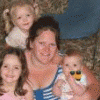
:tt2:HI my name is karinda and I'm 26 mother of three and live in Australia my op is 29 July not long now cant wait bit scared bit nervouse but very excited would love to chat with some poeple that are just get there bands on so I know what I'm in for and know abit more about it and what I'm about to go through

Chat with you soon

3 Comments

Recommended Comments

maggs79

LAP-BAND Patients

I love your name! It's beautiful! Anyway, best of luck with your surgery! I was banded one week ago today. It's a fairly simple surgery, just the recovery can be rough for a couple days. But only one week out and I'm feeling very good!! Only minor soreness around the big (1 1/2 inch) incision. Keep in touch!!

maggs79

LAP-BAND Patients

By the way, what part of Australia? My sister studied at Uni in Newcastle for 5 months and we're going back down there in the fall (err, OUR fall--September) of 2011 for vacation. :) I've seen enough pictures to know how beautiful the coastlines are!

KATHLEENH

LAP-BAND Patients

HI, I had my band placed on June 8th. I was very scared about the operation but I have to say it was very easy. I went to sleep at 8:25 and I woke up in recovery at 10:05. I had no pain. I was very cold but they gave me alot of blankets and that passed. The first week was very tough for me. I was very tired and I was having some emotional issues. every day gets better. I am down 46 pounds and feeling good. Good Luck to you

Guest
Add a comment...

Account

Navigation

Search

Search

Configure browser push notifications

Chrome (Android)
  1. Tap the lock icon next to the address bar.
  2. Tap Permissions → Notifications.
  3. Adjust your preference.
Chrome (Desktop)
  1. Click the padlock icon in the address bar.
  2. Select Site settings.
  3. Find Notifications and adjust your preference.