




Skip to content
View in the app

A better way to browse. Learn more.

BariatricPal

A full-screen app on your home screen with push notifications, badges and more.

To install this app on iOS and iPadOS
  1. Tap the Share icon in Safari
  2. Scroll the menu and tap Add to Home Screen.
  3. Tap Add in the top-right corner.
To install this app on Android
  1. Tap the 3-dot menu (⋮) in the top-right corner of the browser.
  2. Tap Add to Home screen or Install app.
  3. Confirm by tapping Install.

so it's been two month & my 2nd fill was today !
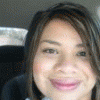
So today I had my 2nd fill it went well, I am down 7 more pounds I started at 242 and now eight weeks later @ 219!! It feel good however, I know that now I have to really work out harder every day. My goal for the next two weeks is to get down to 4 inches in my waist, I do not weigh myself often because I have chosen not to be fixed by a number but rather a jean size so size 14 here I come !!! Good luck every one we can do it!!!!! :thumbup:

1 Comment

Recommended Comments

awill

LAP-BAND Patients

So today I had my 2nd fill it went well, I am down 7 more pounds I started at 242 and now eight weeks later @ 219!! It feel good however, I know that now I have to really work out harder every day. My goal for the next two weeks is to get down to 4 inches in my waist, I do not weigh myself often because I have chosen not to be fixed by a number but rather a jean size so size 14 here I come !!! Good luck every one we can do it!!!!! :tt1:

Guest
Add a comment...

Account

Navigation

Search

Search

Configure browser push notifications

Chrome (Android)
  1. Tap the lock icon next to the address bar.
  2. Tap Permissions → Notifications.
  3. Adjust your preference.
Chrome (Desktop)
  1. Click the padlock icon in the address bar.
  2. Select Site settings.
  3. Find Notifications and adjust your preference.