




Skip to content
View in the app

A better way to browse. Learn more.

BariatricPal

A full-screen app on your home screen with push notifications, badges and more.

To install this app on iOS and iPadOS
  1. Tap the Share icon in Safari
  2. Scroll the menu and tap Add to Home Screen.
  3. Tap Add in the top-right corner.
To install this app on Android
  1. Tap the 3-dot menu (⋮) in the top-right corner of the browser.
  2. Tap Add to Home screen or Install app.
  3. Confirm by tapping Install.
  • Entry

    1
  • Comments

    2
  • Views

    773

About this blog

my journey of weight loss surgery
Entries in this blog

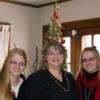
where to begin.... I am a 52 year old women, married with two daughters, twins that are 21 years old. One of my daughters is getting married next summer. I also work in an area I had never set out to do but I manage a retail store for a company that does not make plus size clothing. I feel my weight is holding my back from being the person I really want to be and at 51 it is now or never. If I give up and don't lose the weight my life will never be everything I want it to be.     I have h

Account

Navigation

Search

Search

Configure browser push notifications

Chrome (Android)
  1. Tap the lock icon next to the address bar.
  2. Tap Permissions → Notifications.
  3. Adjust your preference.
Chrome (Desktop)
  1. Click the padlock icon in the address bar.
  2. Select Site settings.
  3. Find Notifications and adjust your preference.