




Skip to content
View in the app

A better way to browse. Learn more.

BariatricPal

A full-screen app on your home screen with push notifications, badges and more.

To install this app on iOS and iPadOS
  1. Tap the Share icon in Safari
  2. Scroll the menu and tap Add to Home Screen.
  3. Tap Add in the top-right corner.
To install this app on Android
  1. Tap the 3-dot menu (⋮) in the top-right corner of the browser.
  2. Tap Add to Home screen or Install app.
  3. Confirm by tapping Install.
  • Entries

    27
  • Comments

    56
  • Views

    9,468

About this blog

In the beginning......of my journey

Entries in this blog
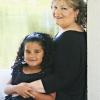
Tonight is the bariatric seminar. It is mandatory to take to become a patient with the practice I have been referred to. I am very excited, I want to get this party started! I have to keep myself motivated, keep pushing forward. I am the kind of person who will give up all too quickly if I do not see progress. Not exactly a shining personality trait, but it is who I am. It explains a whole lot about my lifelong weight struggles. Also explains how so many of my "big ideas" have never panned out.
Every person who comes to bariatric surgery has a reason, a story. No one wakes up one day and goes "you know, having my stomach partially removed,diverted, or banded sounds like fun- I think I want to do it!" Nope. There is a reason. A moment of giving it over to a higher power mixed with taking full charge of your weight loss. It is the most odd feeling when your brain makes the leap and decides it is what needs to be. I truly believe bariatric surgery is a last ditch effort for so many of us

Account

Navigation

Search

Search

Configure browser push notifications

Chrome (Android)
  1. Tap the lock icon next to the address bar.
  2. Tap Permissions → Notifications.
  3. Adjust your preference.
Chrome (Desktop)
  1. Click the padlock icon in the address bar.
  2. Select Site settings.
  3. Find Notifications and adjust your preference.