




Skip to content
View in the app

A better way to browse. Learn more.

BariatricPal

A full-screen app on your home screen with push notifications, badges and more.

To install this app on iOS and iPadOS
  1. Tap the Share icon in Safari
  2. Scroll the menu and tap Add to Home Screen.
  3. Tap Add in the top-right corner.
To install this app on Android
  1. Tap the 3-dot menu (⋮) in the top-right corner of the browser.
  2. Tap Add to Home screen or Install app.
  3. Confirm by tapping Install.
  • Entry

    1
  • Comments

    0
  • Views

    658

About this blog

A view from my side of the fence!
Entries in this blog

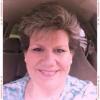
Since this is my first entry, I will introduce myself. My name is Diane and I am married to a wonderful man named David who is also my pastor. I have 4 gorgeous children. My oldest son is 26 and married. They have given me the greatest gifts, GRANDCHILDREN! My grandchildren are 3 years old and twins who are 9 months old. They are such a blessing. My oldest daughter is 19 and is about to begin her 2nd year of college. She is beautiful and smart and is preparing to be a teacher. My younge

Account

Navigation

Search

Search

Configure browser push notifications

Chrome (Android)
  1. Tap the lock icon next to the address bar.
  2. Tap Permissions → Notifications.
  3. Adjust your preference.
Chrome (Desktop)
  1. Click the padlock icon in the address bar.
  2. Select Site settings.
  3. Find Notifications and adjust your preference.