




Skip to content
View in the app

A better way to browse. Learn more.

BariatricPal

A full-screen app on your home screen with push notifications, badges and more.

To install this app on iOS and iPadOS
  1. Tap the Share icon in Safari
  2. Scroll the menu and tap Add to Home Screen.
  3. Tap Add in the top-right corner.
To install this app on Android
  1. Tap the 3-dot menu (⋮) in the top-right corner of the browser.
  2. Tap Add to Home screen or Install app.
  3. Confirm by tapping Install.
  • Entries

    2
  • Comments

    3
  • Views

    1,635

About this blog

Moving so Fast Now

Entries in this blog
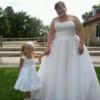
Well Since my endoscopy I found out that I have GERD which I should mention I never knew I did have. Secondly I also have H. Pylori so that was fun to find out that I had that. So they put me on a rigourus round of antibiotics and now I have to lose 10-15 lbs pre op. I had my surgery postponed to 10-11-2012 which is fine with me I know I can do it. So if any of you come across my blog and have any tips or tricks in order to lose weight that would be greatly appericiated. I have bought my protien
OK so first blog ever hope you all enjoy. I have been on this journey since April and my insurance just approved me yesterday WOOT!!! Now I have my endoscopy and things tomorrow. Everything seems to be moving so fast and I am getting anxious and nervous but thanks to my hubby and friends from work and my sleeve buddy also a co worker who have supported me along with friends I know I will be ok. I am ready to start this new journey in my life and ready to do the things I have always wanted. Socia

Account

Navigation

Search

Search

Configure browser push notifications

Chrome (Android)
  1. Tap the lock icon next to the address bar.
  2. Tap Permissions → Notifications.
  3. Adjust your preference.
Chrome (Desktop)
  1. Click the padlock icon in the address bar.
  2. Select Site settings.
  3. Find Notifications and adjust your preference.