




Skip to content
View in the app

A better way to browse. Learn more.

BariatricPal

A full-screen app on your home screen with push notifications, badges and more.

To install this app on iOS and iPadOS
  1. Tap the Share icon in Safari
  2. Scroll the menu and tap Add to Home Screen.
  3. Tap Add in the top-right corner.
To install this app on Android
  1. Tap the 3-dot menu (⋮) in the top-right corner of the browser.
  2. Tap Add to Home screen or Install app.
  3. Confirm by tapping Install.
  • Entries

    2
  • Comments

    4
  • Views

    1,784

About this blog

Getting sleeve July 9th!!!

Entries in this blog
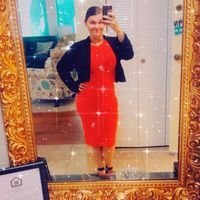
Well the time is coming up soon! 17 more days before im sleeved. I am 17 years old and I have been overweight all my life. I am 283 pounds and ready to change my life.I have tryed everything in the book. I also have been researching the sleeve for about a year. I am going to be a seinor in high school and plan for it to be an amazing year. I need to know what i should bring for my surgery. And also could anyone tell me somethings I should know. And has anyone had surgery with Dr. pleatman.. Plea

Account

Navigation

Search

Search

Configure browser push notifications

Chrome (Android)
  1. Tap the lock icon next to the address bar.
  2. Tap Permissions → Notifications.
  3. Adjust your preference.
Chrome (Desktop)
  1. Click the padlock icon in the address bar.
  2. Select Site settings.
  3. Find Notifications and adjust your preference.