




Skip to content
View in the app

A better way to browse. Learn more.

BariatricPal

A full-screen app on your home screen with push notifications, badges and more.

To install this app on iOS and iPadOS
  1. Tap the Share icon in Safari
  2. Scroll the menu and tap Add to Home Screen.
  3. Tap Add in the top-right corner.
To install this app on Android
  1. Tap the 3-dot menu (⋮) in the top-right corner of the browser.
  2. Tap Add to Home screen or Install app.
  3. Confirm by tapping Install.
  • Entry

    1
  • Comment

    1
  • Views

    531

About this blog

My Lap Band Experience - Banded 4/3/2007
Entries in this blog

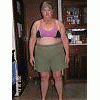
My weight is 231. BMI is 48.5. On my first day of my 2 week liquid diet, I woke up at 6:00am with the alarm. We had security duty at the vendor building for 7:00am. (We're fulltimers, living in a motorhome. At the present time we're at a rally in Perry, Georgia.) Surrounding me today will be what I call....carnival food!! Thank goodness I'll be busy till 9:30am, checking for ID''s to enter the building. I said goodbye to all that "junk food" last night with a shared peach cobbler with my husband

Account

Navigation

Search

Search

Configure browser push notifications

Chrome (Android)
  1. Tap the lock icon next to the address bar.
  2. Tap Permissions → Notifications.
  3. Adjust your preference.
Chrome (Desktop)
  1. Click the padlock icon in the address bar.
  2. Select Site settings.
  3. Find Notifications and adjust your preference.