Skip to content
View in the app

A better way to browse. Learn more.

BariatricPal

A full-screen app on your home screen with push notifications, badges and more.

To install this app on iOS and iPadOS
  1. Tap the Share icon in Safari
  2. Scroll the menu and tap Add to Home Screen.
  3. Tap Add in the top-right corner.
To install this app on Android
  1. Tap the 3-dot menu (⋮) in the top-right corner of the browser.
  2. Tap Add to Home screen or Install app.
  3. Confirm by tapping Install.
  • Entries

    2
  • Comment

    1
  • Views

    1506

Entries in this blog

Here is a letter I just wrote someone and I thought it might be helpful to others:   I am an open book for you and any questions you have. I was lucky with the money side of it since I charged it to a credit card that was interest free for a year and now I have been working on paying it off. So I can’t give you any advice in that area. As for a SCAM I had the same worries but everything turned out fine. I even missed my flight that morning and just called where they told me to call and it
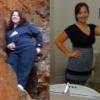
Hi everyone! I have been posting on this form for a little bit but I have yet to really introduce myself to you. I am 23 years old and have been fighting obesity since my dad passed when I was 16. I have always been over weight but when he passed it got out of control. When I was 18 I got a plastic retainer glued into my mouth over my teeth to try to make my mouth wider for braces causing me to be limited on what I could eat and how fast I could eat it. I lost most of the weight and kept it off

Account

Navigation

Search

Search

Configure browser push notifications

Chrome (Android)
  1. Tap the lock icon next to the address bar.
  2. Tap Permissions → Notifications.
  3. Adjust your preference.
Chrome (Desktop)
  1. Click the padlock icon in the address bar.
  2. Select Site settings.
  3. Find Notifications and adjust your preference.