Skip to content
View in the app

A better way to browse. Learn more.

BariatricPal

A full-screen app on your home screen with push notifications, badges and more.

To install this app on iOS and iPadOS
  1. Tap the Share icon in Safari
  2. Scroll the menu and tap Add to Home Screen.
  3. Tap Add in the top-right corner.
To install this app on Android
  1. Tap the 3-dot menu (⋮) in the top-right corner of the browser.
  2. Tap Add to Home screen or Install app.
  3. Confirm by tapping Install.
  • Entry

    1
  • Comments

    2
  • Views

    1553

Entries in this blog

wow

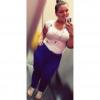
so i was banded December 19th i am now a month and some days post op and decided today i was going to look through pictures and this is the one i saw ( one on left ) i sat there and cried for a while, i couldn't believe i looked like that.. Ive only lost 30 pounds so far and still have a long way to go ( my goal is to loose 100) . i know as i loose more of the weight and continue to look back at pictures i will have a lot of these moments but i really couldn't believe it i was so upset but happy
  • jms413

Account

Navigation

Search

Search

Configure browser push notifications

Chrome (Android)
  1. Tap the lock icon next to the address bar.
  2. Tap Permissions → Notifications.
  3. Adjust your preference.
Chrome (Desktop)
  1. Click the padlock icon in the address bar.
  2. Select Site settings.
  3. Find Notifications and adjust your preference.