




Skip to content
View in the app

A better way to browse. Learn more.

BariatricPal

A full-screen app on your home screen with push notifications, badges and more.

To install this app on iOS and iPadOS
  1. Tap the Share icon in Safari
  2. Scroll the menu and tap Add to Home Screen.
  3. Tap Add in the top-right corner.
To install this app on Android
  1. Tap the 3-dot menu (⋮) in the top-right corner of the browser.
  2. Tap Add to Home screen or Install app.
  3. Confirm by tapping Install.

Join BariatricPal free

  • Ask your own questions
  • Reply and follow topics
  • Message other members
  • No cost, no spam
  • Entries

    2
  • Comments

    5
  • Views

    617

About this blog

A weight loss surgery blog by itsmestephy on BariatricPal. 2 entries on surgery, recovery and progress.

Entries in this blog
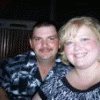
Well here I am 4 days away from my 1 month bandiversary. I have lost 24 lbs. and I feel SO much better. I am have not had any complications, although my incision sites are still not completely healed (but close!!) I notice I have more energy, and my clothes are fitting better. I am so thankful for lapband.com which allows me to read other people's experiences. This site has helped me So much! I feel such a connection with the members who so freely share their trials & support. I have been so

Account

Navigation

Search

Search

Configure browser push notifications

Chrome (Android)
  1. Tap the lock icon next to the address bar.
  2. Tap Permissions → Notifications.
  3. Adjust your preference.
Chrome (Desktop)
  1. Click the padlock icon in the address bar.
  2. Select Site settings.
  3. Find Notifications and adjust your preference.