




Skip to content
View in the app

A better way to browse. Learn more.

BariatricPal

A full-screen app on your home screen with push notifications, badges and more.

To install this app on iOS and iPadOS
  1. Tap the Share icon in Safari
  2. Scroll the menu and tap Add to Home Screen.
  3. Tap Add in the top-right corner.
To install this app on Android
  1. Tap the 3-dot menu (⋮) in the top-right corner of the browser.
  2. Tap Add to Home screen or Install app.
  3. Confirm by tapping Install.
  • Entries

    3
  • Comments

    4
  • Views

    447

About this blog

Happiness...one day...

Entries in this blog
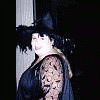
Well, I'm about to head out to church. I think I'm having a "fat day". I tried on 4 or 5 different outfits. The clothes are starting to get too big and so they make me look big also. I mean...I know I'm still large, but it's nice when people compliment you on how you look. Anyway, I found an acceptable outfit. TTFN:tongue:
I didn't realize how difficult it would be for me as an emotional eater, to deal with stressful situations after being banded. :redface: I used to stuff my face until I felt better. Now I have to "man up" and deal with things head on. I find it especially interesting that when you face the situation, it resolves much faster than when you try to suffocate it with food...wow. Hard to believe food had that much control over me.:huh2:
Okay, it's about 10pm on Monday, Jan. 21. It's quiet...kids are sleeping...husband is in bed. I feel pretty good. I've had my band since Dec. 6, '07 and I think I'm truckin' right along. I've lost some weight (34lbs) and feel a lot healthier.:huh2: People's reactions have been strange. A lot of friends and family are very happy for me, but there are a few folks that are a little weird. I get the occasional, "Isn't surgery a little drastic?" and "See what you could have done if you'd

Account

Navigation

Search

Search

Configure browser push notifications

Chrome (Android)
  1. Tap the lock icon next to the address bar.
  2. Tap Permissions → Notifications.
  3. Adjust your preference.
Chrome (Desktop)
  1. Click the padlock icon in the address bar.
  2. Select Site settings.
  3. Find Notifications and adjust your preference.