Skip to content
View in the app

A better way to browse. Learn more.

BariatricPal

A full-screen app on your home screen with push notifications, badges and more.

To install this app on iOS and iPadOS
  1. Tap the Share icon in Safari
  2. Scroll the menu and tap Add to Home Screen.
  3. Tap Add in the top-right corner.
To install this app on Android
  1. Tap the 3-dot menu (⋮) in the top-right corner of the browser.
  2. Tap Add to Home screen or Install app.
  3. Confirm by tapping Install.

Anticipation

  • Replies 8
  • Views 690
  • Created
  • Last Reply

Top Posters In This Topic

Most Popular Posts

  • BelleOfBatonRouge
    BelleOfBatonRouge

    You may even have less than that to wait! My operation was scheduled for 1 pm and the last thing I remember before the anesthesia knocked me out was the clock saying it was 12:48!

Posted Images
Featured Replies

Lucky!

I am at the very beginning of my journey and have MONTHS to go.

Best of luck to you!

How exciting

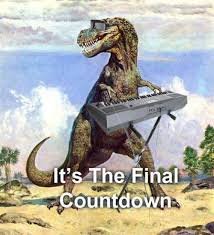
countdown.jpg.b39eec6754b425b067bc5b78f9bb3b68.jpg

5 hours ago, Beachladee3 said:

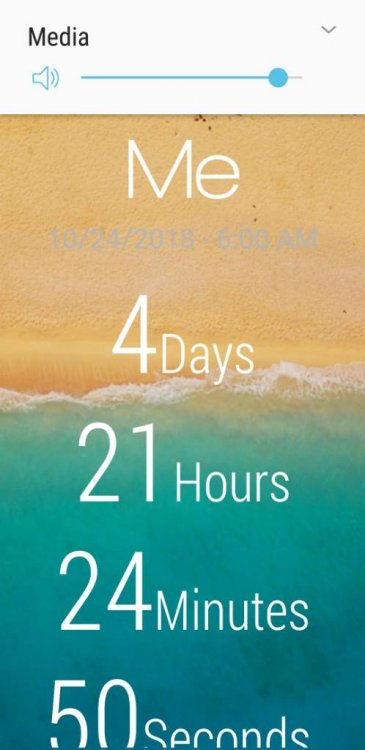
NervesScreenshot_20181019-083510_Time%20Until.jpeg

Sent from my SM-G965U using BariatricPal mobile app

Congrats! Just remember to not worry about the weight, or stalls, or anyone else but yourself!

ahhhhhh

to be a newbie/virgin again

i remember when!!

newbie since 2011

virgin.....19.....?

good luck

congrats on surgery

kathy

Good luck!

Not long now. Good luck on your surgery day and best to you on this journey!!!

You may even have less than that to wait! My operation was scheduled for 1 pm and the last thing I remember before the anesthesia knocked me out was the clock saying it was 12:48!

Join the conversation

You can post now and register later. If you have an account, sign in now to post with your account.

Guest
Reply to this topic...

Trending Products

PatchAid Vitamin Patches

Account

Navigation

Search

Search

Configure browser push notifications

Chrome (Android)
  1. Tap the lock icon next to the address bar.
  2. Tap Permissions → Notifications.
  3. Adjust your preference.
Chrome (Desktop)
  1. Click the padlock icon in the address bar.
  2. Select Site settings.
  3. Find Notifications and adjust your preference.