Skip to content
View in the app

A better way to browse. Learn more.

BariatricPal

A full-screen app on your home screen with push notifications, badges and more.

To install this app on iOS and iPadOS
  1. Tap the Share icon in Safari
  2. Scroll the menu and tap Add to Home Screen.
  3. Tap Add in the top-right corner.
To install this app on Android
  1. Tap the 3-dot menu (⋮) in the top-right corner of the browser.
  2. Tap Add to Home screen or Install app.
  3. Confirm by tapping Install.

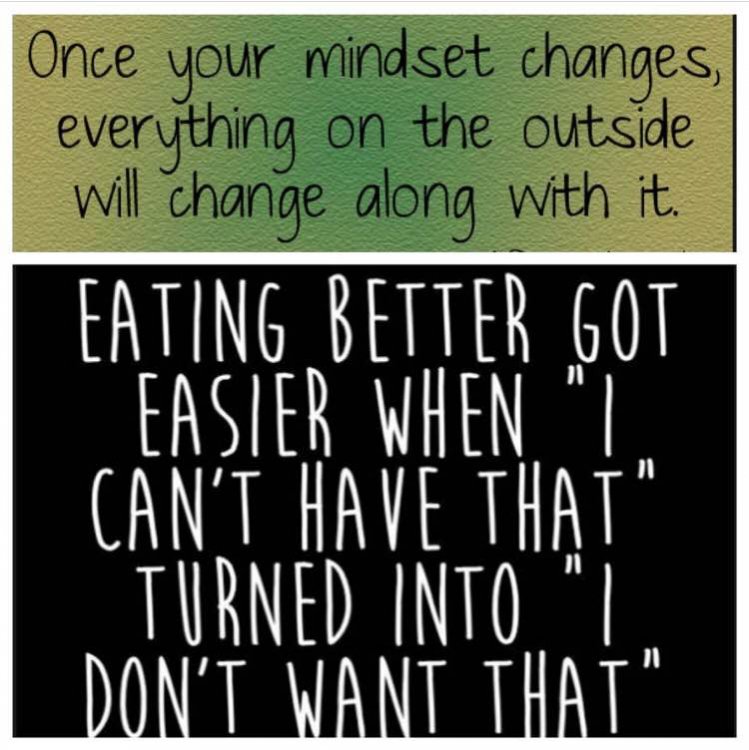
Changing that mindset

For the first time in my life FOOD doesn’t control my thoughts and actions.
#awesomelypowerful

image-0.00298023223876953.jpg

  • Replies 6
  • Views 783
  • Created
  • Last Reply

Featured Replies

I truly think that this is the key to success. It is embracing a lifestyle, and healthier habits in general.

And I hope in a few months to echo your thoughts???

I needed this today. Thank you! [emoji173]️


What exactly does that sign say? I've got: eating better,got easier when I can't,have that turned into I" what? That's all I got, what does the rest mean??
9 minutes ago, Frustr8 said:

What exactly does that sign say? I've got: eating better,got easier when I can't,have that turned into I" what? That's all I got, what does the rest mean??

The last line is "I don't want that"

Danke Liebling, I knew it had to be a good and worthy thought. I kept puzzling over and over. It was like those man-on-the-street interviews on TV where they ask somebody to finish a familiar saying like " To err is divine, to persist is..." and the person says Stupid or a Foolish Gamble. or to watch the shark swim by, something silly or wrong and you're saying Hunh? Thanks for coming through when I'm needing you, and I just wrote a poem again.?

Archived

This topic is now archived and is closed to further replies.

Trending Products

PatchAid Vitamin Patches

Account

Navigation

Search

Search

Configure browser push notifications

Chrome (Android)
  1. Tap the lock icon next to the address bar.
  2. Tap Permissions → Notifications.
  3. Adjust your preference.
Chrome (Desktop)
  1. Click the padlock icon in the address bar.
  2. Select Site settings.
  3. Find Notifications and adjust your preference.