Skip to content
View in the app

A better way to browse. Learn more.

BariatricPal

A full-screen app on your home screen with push notifications, badges and more.

To install this app on iOS and iPadOS
  1. Tap the Share icon in Safari
  2. Scroll the menu and tap Add to Home Screen.
  3. Tap Add in the top-right corner.
To install this app on Android
  1. Tap the 3-dot menu (⋮) in the top-right corner of the browser.
  2. Tap Add to Home screen or Install app.
  3. Confirm by tapping Install.

The over 40 crowd

  • Replies 18
  • Views 1.6k
  • Created
  • Last Reply

Featured Replies

  • Author

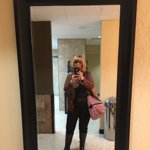
Thank you all really appreciate it. For me it was sticking to my plan and Dr I'm doing a lot of walking staying away from from my enemy, which is soda eating healthy and of course my beautiful family if I can do it anybody can. For me not hiding it from anyone,I think that helped me to talk about it with who ever asked me. Yeah I had those ones that were against it but I told them to take there negative crap and hit the road. I now wish I would have done it 5 years ago.once again thank you i do really appreciate it

juan phone

  • Author

Halfway through my 40s, I had the surgery two weeks ago. Very happy to have it all behind me, and be on the road toward getting this problem sorted out, once and for all. Should be interesting to see what I look like at 46, in July of next year!

When your birthday mine is July 12

juan phone

Archived

This topic is now archived and is closed to further replies.

Trending Products

PatchAid Vitamin Patches

Account

Navigation

Search

Search

Configure browser push notifications

Chrome (Android)
  1. Tap the lock icon next to the address bar.
  2. Tap Permissions → Notifications.
  3. Adjust your preference.
Chrome (Desktop)
  1. Click the padlock icon in the address bar.
  2. Select Site settings.
  3. Find Notifications and adjust your preference.