Skip to content
View in the app

A better way to browse. Learn more.

BariatricPal

A full-screen app on your home screen with push notifications, badges and more.

To install this app on iOS and iPadOS
  1. Tap the Share icon in Safari
  2. Scroll the menu and tap Add to Home Screen.
  3. Tap Add in the top-right corner.
To install this app on Android
  1. Tap the 3-dot menu (⋮) in the top-right corner of the browser.
  2. Tap Add to Home screen or Install app.
  3. Confirm by tapping Install.

Well hello Onederland!

  • Popular Post

15 months post-op RNY

High weight 337

Current: 198.6

Complications: none

Dumping: mild, & rare for me- I'd have to eat quite a bit of sugar or any amount of fried food

Regrets: none

Exercise: 4x week

My pearls of wisdom. Plan/prepare.Weigh/Measure.Track. Repeat--you have to know what's going in you to meet the nutritional goals you set (which dictates meeting the weight goals...) This is work. Even in that "honeymoon" phase of weight loss, it's work. Much more mental than physical-- but work none the less. There are days I whisper to myself "it sucks being a WLS patient", but that's usually when I'm faced with making a choice in the best interest of my health vs. what my head would prefer. The benefits far outweigh the trade-offs.

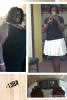
Pics below::

post-249190-14718043963273_thumb.jpgpost-249190-14718044107775_thumb.jpg

  • Replies 11
  • Views 1.1k
  • Created
  • Last Reply

Featured Replies

Congrats and thanks for sharing.

That is my next goal step, and have not been there for many years

Congrats! Thanks for sharing your inspiration!

Congrats!! I remember the day I dropped below 200; great day! And I took the same picture as you did! Congrats again.

Congrats just joined the ranks myself a few days ago.

Sent from my iPhone using the BariatricPal App

P.s you look great

Sent from my iPhone using the BariatricPal App

Archived

This topic is now archived and is closed to further replies.

Trending Products

PatchAid Vitamin Patches

Account

Navigation

Search

Search

Configure browser push notifications

Chrome (Android)
  1. Tap the lock icon next to the address bar.
  2. Tap Permissions → Notifications.
  3. Adjust your preference.
Chrome (Desktop)
  1. Click the padlock icon in the address bar.
  2. Select Site settings.
  3. Find Notifications and adjust your preference.