Skip to content
View in the app

A better way to browse. Learn more.

BariatricPal

A full-screen app on your home screen with push notifications, badges and more.

To install this app on iOS and iPadOS
  1. Tap the Share icon in Safari
  2. Scroll the menu and tap Add to Home Screen.
  3. Tap Add in the top-right corner.
To install this app on Android
  1. Tap the 3-dot menu (⋮) in the top-right corner of the browser.
  2. Tap Add to Home screen or Install app.
  3. Confirm by tapping Install.

Before..now

  • Replies 16
  • Views 2.9k
  • Created
  • Last Reply

Featured Replies

  • 1 month later...

Congratulations and great job !!! My surgery is tomorrow. Wish me luck!

  • 3 weeks later...
  • 2 weeks later...
  • 1 month later...
  • 4 weeks later...

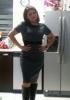
attachicon.gif2016-11-02 22.33.03.jpgAlmost in my goal!!!!5 months post op4 lbs... Here we go!!!I feel better than ever (inside and outside) [emoji5] Sent from my SM-G900M using the BariatricPal App

You look awesome!

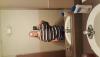
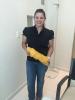
Sleeved - June 14, 2016... 249ish - was at 260 when I started, unfilled my band and gained 20lbs - got refilled and got down to 249 before surgery.

April - I was probably 265ish

post-258106-14785394070027_thumb.jpg

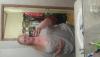
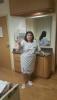
Today - I still have a ways to go, but I'm at 225

post-258106-14785394630979_thumb.jpg

It put them in sideways, sorry.

Sent from my SM-N920T using the BariatricPal App

Archived

This topic is now archived and is closed to further replies.

Trending Products

PatchAid Vitamin Patches

Account

Navigation

Search

Search

Configure browser push notifications

Chrome (Android)
  1. Tap the lock icon next to the address bar.
  2. Tap Permissions → Notifications.
  3. Adjust your preference.
Chrome (Desktop)
  1. Click the padlock icon in the address bar.
  2. Select Site settings.
  3. Find Notifications and adjust your preference.