Skip to content
View in the app

A better way to browse. Learn more.

BariatricPal

A full-screen app on your home screen with push notifications, badges and more.

To install this app on iOS and iPadOS
  1. Tap the Share icon in Safari
  2. Scroll the menu and tap Add to Home Screen.
  3. Tap Add in the top-right corner.
To install this app on Android
  1. Tap the 3-dot menu (⋮) in the top-right corner of the browser.
  2. Tap Add to Home screen or Install app.
  3. Confirm by tapping Install.

Commitment

  • Replies 10
  • Views 747
  • Created
  • Last Reply

Featured Replies

  • Author

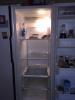
Lol. I'm heading to the store after I finish the pantry ????

I plan on doing the same. Out with the old in with the new!

Three days before sleeve. I'm ready.

@@pr_pitbullgrl

good looking frig!!

i am starting a movement for all newbies to follow

they/you must must pick a name from a hat

go over to their home and get to work!!

clean, clean and clean

stock Protein bars for pantry

stock normal staples for frig too!

if you don't do the above

you will be shot on the spot!!

good luck with sleeve surgery

speedy recovery

kathy

  • Author

Lol I realize I'm lucky to live alone without other mouths to feed (except my dog).

  • Author

It can b good tho I have no one to be accountable to but myself. But it's easy to cheat on myself too so it's a process either way I guess lol. We got this!

Edited by pr_pitbullgrl

Archived

This topic is now archived and is closed to further replies.

Trending Products

PatchAid Vitamin Patches

Account

Navigation

Search

Search

Configure browser push notifications

Chrome (Android)
  1. Tap the lock icon next to the address bar.
  2. Tap Permissions → Notifications.
  3. Adjust your preference.
Chrome (Desktop)
  1. Click the padlock icon in the address bar.
  2. Select Site settings.
  3. Find Notifications and adjust your preference.