Skip to content
View in the app

A better way to browse. Learn more.

BariatricPal

A full-screen app on your home screen with push notifications, badges and more.

To install this app on iOS and iPadOS
  1. Tap the Share icon in Safari
  2. Scroll the menu and tap Add to Home Screen.
  3. Tap Add in the top-right corner.
To install this app on Android
  1. Tap the 3-dot menu (⋮) in the top-right corner of the browser.
  2. Tap Add to Home screen or Install app.
  3. Confirm by tapping Install.

Hi there!

Hey guys and ladies!

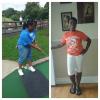
My name is Nikki. (Not nicole :P)

I have been overweight my entire life!

My highest weight was 340 when I was pregnant

I started my sleeve journey in May weighing 315

I have the sweetest child to ever Grace this earth

His name is Maxwell Dean

During my 3 month supervised diet I lost 18 lbs

I was sleeved November 14th 2014

My weight the day of surgery was 297

I am now 269 :D

I hope to get to know a few of you fine people!

Thank you for taking the time to read this :D

  • Replies 5
  • Views 643
  • Created
  • Last Reply

Featured Replies

Hi nikki. Congratulations and welcome to the losers bench.

Hi Nikki! welcome to BP! I have not been approved yet for surgery, waiting for insurance to kick in on Jan1! It's always nice to meet someone new! Congratulations on your loss and Happy Holidays!

Welcome Nikki! Congratulations on your success thus far and may your journey to goal be victorious!

Archived

This topic is now archived and is closed to further replies.

Trending Products

PatchAid Vitamin Patches

Account

Navigation

Search

Search

Configure browser push notifications

Chrome (Android)
  1. Tap the lock icon next to the address bar.
  2. Tap Permissions → Notifications.
  3. Adjust your preference.
Chrome (Desktop)
  1. Click the padlock icon in the address bar.
  2. Select Site settings.
  3. Find Notifications and adjust your preference.