Skip to content
View in the app

A better way to browse. Learn more.

BariatricPal

A full-screen app on your home screen with push notifications, badges and more.

To install this app on iOS and iPadOS
  1. Tap the Share icon in Safari
  2. Scroll the menu and tap Add to Home Screen.
  3. Tap Add in the top-right corner.
To install this app on Android
  1. Tap the 3-dot menu (⋮) in the top-right corner of the browser.
  2. Tap Add to Home screen or Install app.
  3. Confirm by tapping Install.

BEFORE/AFTER PICS ONLY

  • Replies 51
  • Views 6.7k
  • Created
  • Last Reply

Featured Replies

This thread is beautiful you all look great and your results are amazing keep it up :) can't wait till it's my turn

If ur using the phone app it wont let u see the pics on people profiles but if u sign on from a regular computer u will see them! U will get to see so much more by signing on from a regular computer once in a while :) you will see things u miss out on by only using the phone app, I know this from experience lol!

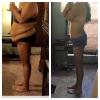
Here is my before & after so far, as I still have about 65 lbs to go to hit goal! My highest weight was 321 lbs & day of surgery july 18, 2013 I weighed in @ 314 @ the hospital, on my 1 yr surgiversary I weighed in @ 205 lbs! I now weigh an even 200 lbs making my total loss 121 lbs in 1 yr & 3 weeks! Can't wait to hit "One-derland"!!!

I also added a flipagram video of my whole progress for the first year of having my sleeve!!!

[ATTACH]47260[/ATTACH]

attachicon.gif :

[ATTACH]47261[/ATTACH]

http://flipagram.com/f/FnMVAw9oaO

Wow! Great transformation!

Sent from my SM-N900V using Tapatalk

  • 1 month later...
post-131883-14530919427508_thumb.jpgpost-131883-14530919427508_thumb.jpgpost-131883-14530919427508_thumb.jpg
  • Popular Post

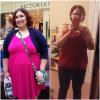
Taken on October 12, 2015.......the morning before my surgery. Umbilical hernia felt like it was about to freaking explode. Surgeon repaired it during f the sleeve surgery. So grateful for that. 6xl t-shirt and 4xl pants in the pic.

vP1PzIB.png

Taken this morning. 2xlt jacket that I've had for ages....just couldn't wear it. It was my "goal jacket" to fit into for Winter of 2017.......had no idea I'd be able to wear it now. More gratitude.

9RpLG3s.jpg?1

EDIT: I'd put the wrong date in the above pic. It is corrected now....as in 10/19/16.

Taken on October 12, 2015.......the morning before my surgery. Umbilical hernia felt like it was about to freaking explode. Surgeon repaired it during f the sleeve surgery. So grateful for that. 6xl t-shirt and 4xl pants in the pic.

vP1PzIB.png

Taken this morning. 2xlt jacket that I've had for ages....just couldn't wear it. It was my "goal jacket" to fit into for Winter of 2017.......had no idea I'd be able to wear it now. More gratitude.

Q9u2iup.jpg

You look great! You should be proud! Awesome job!!!

Edited by Fatty McFatster

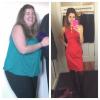
Here is my pre-op and post-op pictures.

First picture taken on Oct. 24th (2 weeks before I start my pre-op diet at 356 on November 6th).

Second picture taken on Dec. 25th (1 month post-op at 317.2).

Had a 38.8 pound loss in 6 weeks (2 weeks pre-op and 4 weeks post-op).

1 month Before After

(BTW how do you make pictures bigger within the post?)

Here is my pre-op and post-op pictures.

First picture taken on Oct. 24th (2 weeks before I start my pre-op diet at 356 on November 6th).

Second picture taken on Dec. 25th (1 month post-op at 317.2).

Had a 38.8 pound loss in 6 weeks (2 weeks pre-op and 4 weeks post-op).

(BTW how do you make pictures bigger within the post?)

Heck yeah , man. You are killing it. You are off to a mighty fast start, too. Well done.

I take pics with my iPhone and then pull them into the imgur app and then copy & paste the URL links to my posts.

Archived

This topic is now archived and is closed to further replies.

Trending Products

PatchAid Vitamin Patches

Account

Navigation

Search

Search

Configure browser push notifications

Chrome (Android)
  1. Tap the lock icon next to the address bar.
  2. Tap Permissions → Notifications.
  3. Adjust your preference.
Chrome (Desktop)
  1. Click the padlock icon in the address bar.
  2. Select Site settings.
  3. Find Notifications and adjust your preference.