Skip to content
View in the app

A better way to browse. Learn more.

BariatricPal

A full-screen app on your home screen with push notifications, badges and more.

To install this app on iOS and iPadOS
  1. Tap the Share icon in Safari
  2. Scroll the menu and tap Add to Home Screen.
  3. Tap Add in the top-right corner.
To install this app on Android
  1. Tap the 3-dot menu (⋮) in the top-right corner of the browser.
  2. Tap Add to Home screen or Install app.
  3. Confirm by tapping Install.

little update :)

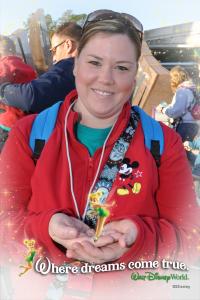
I've passed my goal on the way to changing my life in less then 2 years .....

395 pounds un-happy no self esteem to today happy full of life had my surgery 12-26-12

Today I'm sitting at 181 pounds

post-194516-0-62312900-1393985437_thumb.jpg

post-194516-0-32074000-1393985455_thumb.jpg

Excuse the duck face but amazing seeing bones and muscles !!!

  • Replies 10
  • Views 1.3k
  • Created
  • Last Reply

Featured Replies

Great job; sounds like you are happy with your choices. Very happy for you.

Awesome job! Congrats to you!

U look amazing! Congrats!

what an accomplishment!!! Way to GO!!

Awesome!!! You should make a flipagram with all your progress pictures!!! What a Fantastic transformation & you are an great inspiration!!!

Wonderful job! You look GREAT! I hope I can be as successful - I'm only 9 days post op.

So glad you came back to post. That is just wonderful.

Archived

This topic is now archived and is closed to further replies.

Trending Products

PatchAid Vitamin Patches

Account

Navigation

Search

Search

Configure browser push notifications

Chrome (Android)
  1. Tap the lock icon next to the address bar.
  2. Tap Permissions → Notifications.
  3. Adjust your preference.
Chrome (Desktop)
  1. Click the padlock icon in the address bar.
  2. Select Site settings.
  3. Find Notifications and adjust your preference.