Skip to content
View in the app

A better way to browse. Learn more.

BariatricPal

A full-screen app on your home screen with push notifications, badges and more.

To install this app on iOS and iPadOS
  1. Tap the Share icon in Safari
  2. Scroll the menu and tap Add to Home Screen.
  3. Tap Add in the top-right corner.
To install this app on Android
  1. Tap the 3-dot menu (⋮) in the top-right corner of the browser.
  2. Tap Add to Home screen or Install app.
  3. Confirm by tapping Install.

Pictures for the first time

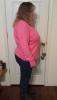
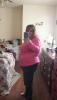
post-181631-0-72178200-1392635252_thumb.jpgpost-181631-0-81759700-1392635265_thumb.jpgI have never posted pictures before but here it goes. I have a hard time seeing the difference.post-181631-0-72178200-1392635252_thumb.jpgpost-181631-0-81759700-1392635265_thumb.jpg

Edited by acampbell1318

  • Replies 7
  • Views 886
  • Created
  • Last Reply

Featured Replies

Are you kidding.....obvious difference....Looking good!!!!!!!!!

You are doing it! Looking good! :)

YES!!! We can notice, it's harder for yourself (don't we ALL know that)... take the pic from the same angle each time, and it will probably be more helpful...congrats!

Wow, all from your tummy! It's quite noticeable!

Girl...its totally visible....totally!

Shel

That is a HUGE difference. Way to go! :)

Wow, you look so good! Keep up the great work!

Archived

This topic is now archived and is closed to further replies.

Account

Navigation

Search

Search

Configure browser push notifications

Chrome (Android)
  1. Tap the lock icon next to the address bar.
  2. Tap Permissions → Notifications.
  3. Adjust your preference.
Chrome (Desktop)
  1. Click the padlock icon in the address bar.
  2. Select Site settings.
  3. Find Notifications and adjust your preference.