Skip to content
View in the app

A better way to browse. Learn more.

BariatricPal

A full-screen app on your home screen with push notifications, badges and more.

To install this app on iOS and iPadOS
  1. Tap the Share icon in Safari
  2. Scroll the menu and tap Add to Home Screen.
  3. Tap Add in the top-right corner.
To install this app on Android
  1. Tap the 3-dot menu (⋮) in the top-right corner of the browser.
  2. Tap Add to Home screen or Install app.
  3. Confirm by tapping Install.

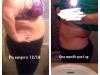
Before and after

I'm officially a month out today!

post-201129-0-14026800-1389813734_thumb.jpg

  • Replies 9
  • Views 1.6k
  • Created
  • Last Reply

Featured Replies

Wow fantastic!! I can see major differences already. Keep it up. :)

  • Author

Thanks! I wasn't sure if I was actually seeing a difference or if my mind was just thinking I saw a difference! (:

Amazing! Keep it up girlfriend!

Congrats...me too. It is noticeable. The only place I see it in myself is my chest so I'm not posting that!

I'm happy thus far but I guess based on my weight loss so far I would have expected more changes in my clothes. But not really yet.

No complaints though I'm just not good at patience. And I KNOW my body perception of myself is WAY off.

Keep up the good work

AMAZING CONGRATS !!!

Excellent!

WAAAAAY to go!!! I am still amazing myself whenever I walk past a mirror. I look and think, "Is that really me?" It's exciting!

Nice Job! Looking great so far, keep up the great work. Feels great huh? :)

Archived

This topic is now archived and is closed to further replies.

Trending Products

PatchAid Vitamin Patches

Account

Navigation

Search

Search

Configure browser push notifications

Chrome (Android)
  1. Tap the lock icon next to the address bar.
  2. Tap Permissions → Notifications.
  3. Adjust your preference.
Chrome (Desktop)
  1. Click the padlock icon in the address bar.
  2. Select Site settings.
  3. Find Notifications and adjust your preference.