Skip to content
View in the app

A better way to browse. Learn more.

BariatricPal

A full-screen app on your home screen with push notifications, badges and more.

To install this app on iOS and iPadOS
  1. Tap the Share icon in Safari
  2. Scroll the menu and tap Add to Home Screen.
  3. Tap Add in the top-right corner.
To install this app on Android
  1. Tap the 3-dot menu (⋮) in the top-right corner of the browser.
  2. Tap Add to Home screen or Install app.
  3. Confirm by tapping Install.

Before & After

  • Replies 16
  • Views 1.5k
  • Created
  • Last Reply

Featured Replies

Looking osom, congratulations :)

You look great!!!! :)

You look fabulous

Sent from my iPad using RNYTalk

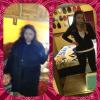
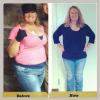
post-17864-13813811896568_thumb.jpg

Before 378

post-17864-13813811897067_thumb.jpg

After 249

Sent from my iPad using RNYTalk

Yep 113lbs only water that I drink no tea, juice, nothing I think because no one else i know has done that and i seem to be ahead of the pact lol it's hard as hell but so worth it :) plus daily work outs

Yep 113lbs only Water that I drink no tea' date=' juice, nothing I think because no one else i know has done that and i seem to be ahead of the pact lol it's hard as hell but so worth it :) plus daily work outs[/quote']

Congratulation!! You look great!! What kind of exercise did you do to tone up?

Congratulation!! You look great!! What kind of exercise did you do to tone up?

Lots of squats up to 25-50 depends on my day 3 times a week if done right tones core but keeps curves I don't wanna lose my hips I have no booty lol and jog in place 2-3 times a week 15-20 min and when it's warm just a good walk twice a week instead but it seems to be working :) but on the plus side I do eat pretty much what I want just cant eat breads or anything like that yet

Archived

This topic is now archived and is closed to further replies.

Trending Products

PatchAid Vitamin Patches

Account

Navigation

Search

Search

Configure browser push notifications

Chrome (Android)
  1. Tap the lock icon next to the address bar.
  2. Tap Permissions → Notifications.
  3. Adjust your preference.
Chrome (Desktop)
  1. Click the padlock icon in the address bar.
  2. Select Site settings.
  3. Find Notifications and adjust your preference.