Skip to content
View in the app

A better way to browse. Learn more.

BariatricPal

A full-screen app on your home screen with push notifications, badges and more.

To install this app on iOS and iPadOS
  1. Tap the Share icon in Safari
  2. Scroll the menu and tap Add to Home Screen.
  3. Tap Add in the top-right corner.
To install this app on Android
  1. Tap the 3-dot menu (⋮) in the top-right corner of the browser.
  2. Tap Add to Home screen or Install app.
  3. Confirm by tapping Install.

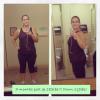
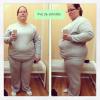
Down 119lbs and counting! 7 months post op

  • Replies 21
  • Views 2.5k
  • Created
  • Last Reply

Featured Replies

You look awesome! Great work!

You look wonderful.

Absolutely fabulous! The look on your face says it all! Keep up the great work...I have no doubt you will achieve all your weight loss goals very soon! :)

You look great. Congratulations. You don't even look 183 pds you look less. Go girl.

Jaw-dropping!

Wonderful!!

Congratulations!

Loving the new me ?dc97?dc97?dc97?dc97?dc97

you look gorgeous!! i had to look 3 times at the b4 nd after bc u look like a diff person in that after nd so much younger lookn. Congrats nd keep up the awesooome work!

Thank you for the reminder of why I'm doing this :-) I love that you're my size in the b4 pic. What size did you start and are now? Bless you woman keep up the good work!

Amazing! Congratulations. We were sleeved around the same date.

That's what I'm talking about. SIMPLY AMAZING!!!!!!!!!

Awesome!!!!!!

Loving the new me ddc97ddc97ddc97ddc97ddc97

Wow!! Just wow! Such an inspiration!!! I can't wait to join you in the losers bench!! ;-)

Sheena :-)

  • Author
Thank you for the reminder of why I'm doing this :-) I love that you're my size in the b4 pic. What size did you start and are now? Bless you woman keep up the good work!

Thank you! I was busting out of a size 24, now I'm a loose 14!

Archived

This topic is now archived and is closed to further replies.

Account

Navigation

Search

Search

Configure browser push notifications

Chrome (Android)
  1. Tap the lock icon next to the address bar.
  2. Tap Permissions → Notifications.
  3. Adjust your preference.
Chrome (Desktop)
  1. Click the padlock icon in the address bar.
  2. Select Site settings.
  3. Find Notifications and adjust your preference.