Skip to content
View in the app

A better way to browse. Learn more.

BariatricPal

A full-screen app on your home screen with push notifications, badges and more.

To install this app on iOS and iPadOS
  1. Tap the Share icon in Safari
  2. Scroll the menu and tap Add to Home Screen.
  3. Tap Add in the top-right corner.
To install this app on Android
  1. Tap the 3-dot menu (⋮) in the top-right corner of the browser.
  2. Tap Add to Home screen or Install app.
  3. Confirm by tapping Install.

Down 152 lbs!

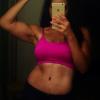
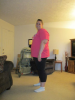
I am almost a year out of surgery and i have lost 152 pounds. Im 12 pounds away from my goal weight. Ive kind of hit a plateau now which sucks but i am happy where i am at.

[ATTACH]18079[/ATTACH]

[ATTACH]18080[/ATTACH]

post-36830-13813669682082_thumb.png

post-36830-13813669682444_thumb.png

  • Replies 24
  • Views 2.9k
  • Created
  • Last Reply

Featured Replies

Congrats on your weight loss and your new life. You look great. Keep up the good work

Congratulations! You look amazing!!

  • Author

Thanks everyone!! For the people wanting to see a before picture here it is :)

[ATTACH]18147[/ATTACH]

post-36830-13813669743644_thumb.png

  • Author

To answer a few peoples questions... mu starting weight was 333. And about the extra skin...its actually not to bad. I havr had one child 5 years ago so i had some loose skin from that. Its the worst on my arms.

You look great! You don't even look like the same person!!

Thanks everyone!! For the people wanting to see a before picture here it is :)

Amazing! I have 150 to lose as well.

You look great. Congratulations.

  • Author

Kb88- good luck to u! Ull do great and feel great!!

Thanks yall!!

You look fantastic!

Sent from my iPhone using VST

Archived

This topic is now archived and is closed to further replies.

Trending Products

PatchAid Vitamin Patches

Account

Navigation

Search

Search

Configure browser push notifications

Chrome (Android)
  1. Tap the lock icon next to the address bar.
  2. Tap Permissions → Notifications.
  3. Adjust your preference.
Chrome (Desktop)
  1. Click the padlock icon in the address bar.
  2. Select Site settings.
  3. Find Notifications and adjust your preference.