Skip to content
View in the app

A better way to browse. Learn more.

BariatricPal

A full-screen app on your home screen with push notifications, badges and more.

To install this app on iOS and iPadOS
  1. Tap the Share icon in Safari
  2. Scroll the menu and tap Add to Home Screen.
  3. Tap Add in the top-right corner.
To install this app on Android
  1. Tap the 3-dot menu (⋮) in the top-right corner of the browser.
  2. Tap Add to Home screen or Install app.
  3. Confirm by tapping Install.
  • Cart

Progress 8 weeks

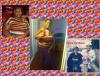
From 267 to 224 living life to the fullest!! post-56433-13813667659412_thumb.jpg
  • Replies 11
  • Views 900
  • Created
  • Last Reply

Featured Replies

Way to go!

By the way beautiful family! I do it for mine too :D

You are very pretty! Congrats!!

I did the math, I am 5 weeks out, and reading that gave me hope that maybe those will my numbers too, because that was my starting weight also. GREATJOB, and keep the good spirit up.

  • Author
By the way beautiful family! I do it for mine too :D

Thank You!

  • Author
You are very pretty! Congrats!!

Thank You... You are Beautiful!

Way to go girl!!! Your fam is beautiful

Sent from my iPad using VST

  • Author
Way to go girl!!! Your fam is beautiful

Sent from my iPad using VST

Thank you!

  • Author
By the way beautiful family! I do it for mine too :D

Your family is beautiful as well girlie!!

You look fabulous!! I am sure your family is so proud of you!! Keep it up!! :)

Archived

This topic is now archived and is closed to further replies.

Trending Products

PatchAid Vitamin Patches

Account

Navigation

Search

Search

Configure browser push notifications

Chrome (Android)
  1. Tap the lock icon next to the address bar.
  2. Tap Permissions → Notifications.
  3. Adjust your preference.
Chrome (Desktop)
  1. Click the padlock icon in the address bar.
  2. Select Site settings.
  3. Find Notifications and adjust your preference.