Skip to content
View in the app

A better way to browse. Learn more.

BariatricPal

A full-screen app on your home screen with push notifications, badges and more.

To install this app on iOS and iPadOS
  1. Tap the Share icon in Safari
  2. Scroll the menu and tap Add to Home Screen.
  3. Tap Add in the top-right corner.
To install this app on Android
  1. Tap the 3-dot menu (⋮) in the top-right corner of the browser.
  2. Tap Add to Home screen or Install app.
  3. Confirm by tapping Install.

99lbs Lost!

  • Popular Post

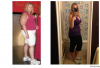
I've lost 56lbs since surgery August 9, and 99 Total over the past 18 months. The only way I believe I look like this, is by staring at this picture! I have a whole new outlook on life and my happiness level is through the roof (and I wasn't unhappy before)!

post-33465-13813663445932_thumb.png

  • Replies 15
  • Views 1.5k
  • Created
  • Last Reply

Featured Replies

you look good girl! keep it up.

You look fabulous! If you don't mind me asking, what is your current weight?

Looking good girl:) keep up the good work!

  • Author

Laukc - I'm 174.2lbs (at 5'5"). My top is a size 8, bottoms are a size 10.

Congratulations you look awesome!

Wow! U look absolutely fabulous!

You look great! Very toned too - what kind of exercises are you doing? Arms look awesome.

You are lookin HOT! Keep pimpin that sleeve.

post-46516-13813663446547_thumb.jpg

You look amazing! Keep up the great work.

Looking fantastic! Good job! Keep it up!!!

  • Author

You look great! Very toned too - what kind of exercises are you doing? Arms look awesome.

I'm strategically holding my arms in a way where you can't tell they aren't toned! Haha! I do free weights and arm exercises using body weight infrequently (everything from bicep curls to push ups, I like the Biggest Loser DVDS for strength). I typically run 45 minutes 4 times a week (by run I mean 3-5 minute runs with 90 second walk breaks)

You look amazing :-) Congratulations on your weightloss. Keep rockin that sleeve :-D

Congratulations!

Archived

This topic is now archived and is closed to further replies.

Trending Products

PatchAid Vitamin Patches

Account

Navigation

Search

Search

Configure browser push notifications

Chrome (Android)
  1. Tap the lock icon next to the address bar.
  2. Tap Permissions → Notifications.
  3. Adjust your preference.
Chrome (Desktop)
  1. Click the padlock icon in the address bar.
  2. Select Site settings.
  3. Find Notifications and adjust your preference.