Skip to content
View in the app

A better way to browse. Learn more.

BariatricPal

A full-screen app on your home screen with push notifications, badges and more.

To install this app on iOS and iPadOS
  1. Tap the Share icon in Safari
  2. Scroll the menu and tap Add to Home Screen.
  3. Tap Add in the top-right corner.
To install this app on Android
  1. Tap the 3-dot menu (⋮) in the top-right corner of the browser.
  2. Tap Add to Home screen or Install app.
  3. Confirm by tapping Install.

1 Month Surgversary!

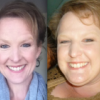
Goal was to at least be in the 170s and i weighed in at 179.6 this morning!! Whoo hoo! Lol i tried all week to get there and nothin...the scale didnt move but then i wake up this morning and there it is! So excited!

  • Replies 4
  • Views 762
  • Created
  • Last Reply

Featured Replies

That's awesome! Congrats on your hard work, it paid off!

What an amazing feeling that must be! Congrats!!

Congratulations! Keep up the good work!!

  • Author

Thank you ladies! I couldnt do it without all the support from all of you!

Archived

This topic is now archived and is closed to further replies.

Trending Products

PatchAid Vitamin Patches

Account

Navigation

Search

Search

Configure browser push notifications

Chrome (Android)
  1. Tap the lock icon next to the address bar.
  2. Tap Permissions → Notifications.
  3. Adjust your preference.
Chrome (Desktop)
  1. Click the padlock icon in the address bar.
  2. Select Site settings.
  3. Find Notifications and adjust your preference.