Skip to content
View in the app

A better way to browse. Learn more.

BariatricPal

A full-screen app on your home screen with push notifications, badges and more.

To install this app on iOS and iPadOS
  1. Tap the Share icon in Safari
  2. Scroll the menu and tap Add to Home Screen.
  3. Tap Add in the top-right corner.
To install this app on Android
  1. Tap the 3-dot menu (⋮) in the top-right corner of the browser.
  2. Tap Add to Home screen or Install app.
  3. Confirm by tapping Install.

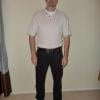
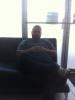
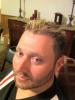
before and during pics

  • Replies 23
  • Views 3.2k
  • Created
  • Last Reply

Top Posters In This Topic

Posted Images

Featured Replies

Amazing results in such a short time. You look AWESOME!

Wow, awesome. Congrats!

Congrats to you!! You really worked your sleeve and it shows!! :)

Nice job, bro. If the proof wasn't evident I'd swear it was two totally different people.

I bet you are in complete awe of yourself as you damn well should be!!! Keep it goin'!

Fantastic, you look great. Working that sleeve and it shows! :D

WOW! Congratulations! You don't even look like the same person. I can't believe you still have 50 more lbs to lose...keep on working that sleeve and I'm sure you'll be there in no time at all!

Join the conversation

You can post now and register later. If you have an account, sign in now to post with your account.

Guest
Reply to this topic...

Trending Products

PatchAid Vitamin Patches

Account

Navigation

Search

Search

Configure browser push notifications

Chrome (Android)
  1. Tap the lock icon next to the address bar.
  2. Tap Permissions → Notifications.
  3. Adjust your preference.
Chrome (Desktop)
  1. Click the padlock icon in the address bar.
  2. Select Site settings.
  3. Find Notifications and adjust your preference.