Skip to content
View in the app

A better way to browse. Learn more.

BariatricPal

A full-screen app on your home screen with push notifications, badges and more.

To install this app on iOS and iPadOS
  1. Tap the Share icon in Safari
  2. Scroll the menu and tap Add to Home Screen.
  3. Tap Add in the top-right corner.
To install this app on Android
  1. Tap the 3-dot menu (⋮) in the top-right corner of the browser.
  2. Tap Add to Home screen or Install app.
  3. Confirm by tapping Install.

A new me!

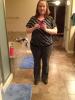
So meet the teacher night was this past Monday. I had to dig deep into my closet and came up with this! I was told many times I looked "hot"! I'll take it!!

Today I wore jeans and a school shirt from last year. I was told I now need new clothes. Okay! So nice to hear!!

post-205063-13813135319109_thumb.jpg

post-352568-13813142189641_thumb.jpg

  • Replies 12
  • Views 1.2k
  • Created
  • Last Reply

Featured Replies

You look amazing, congrats!!

  • Author
You look amazing' date=' congrats!![/quote']

Thanks!

Sent from my iPad using LapBandTalk

What a wonderful feeling!

You look fantastic, congrats on all your hard work.

You look fabulous! Such a great feeling you must have had! Keep up the good work!

looking gooood!!

Doing great. Keep up the good work.

  • Author

Thank you for your kind responses. I did feel great!

Sent from my iPad using LapBandTalk

Msapp77 how much did u weigh when you started? And how much are you down to in this pic? If you don't mind me asking. I just had surgery July 30

Wow good job. Btw your bathroom looks awesome. Mine is so tiny. Lol

  • Author
Wow good job. Btw your bathroom looks awesome. Mine is so tiny. Lol

Thank you, I love my bathroom! Although, you weren't supposed to notice the messy bathroom.

Sent from my iPad using LapBandTalk

Archived

This topic is now archived and is closed to further replies.

Trending Products

PatchAid Vitamin Patches

Account

Navigation

Search

Search

Configure browser push notifications

Chrome (Android)
  1. Tap the lock icon next to the address bar.
  2. Tap Permissions → Notifications.
  3. Adjust your preference.
Chrome (Desktop)
  1. Click the padlock icon in the address bar.
  2. Select Site settings.
  3. Find Notifications and adjust your preference.